Building in Public: Deploy a PHP application with Kamal 2, part 4

This is the fourth and final part of a series about deploying a non-Rails application with Kamal 2. Read the previous article here. Follow this journey at https://github.com/jjeffers/sherldoc.

I’m almost out of the maze. I can hear road noise from here.

Installing PDFBOX

I checked the sherldoc README.md for steps I may have missed. There is comment about making sure that PDFBOX is installed. I think I assumed this was part of the dockerfile RUN commands, but it is not.

There is a release archive for the Apache PDFBOX project which has links to the version I need. I add the following kamal pre-build hook:

RESOURCES_DIR=resources
PDFBOX_JARFILE=pdfbox-3.0.2.jar

echo "Checking for $RESOURCES_DIR/$PDFBOX_JARFILE first..."
if ! [[ -f "$RESOURCES_DIR/$PDFBOX_JARFILE" ]]; then
    wget --directory-prefix=resources https://archive.apache.org/dist/pdfbox/3.0.2/$PDFBOX_JARFILE
fi

With that in place, I initiate another deployment. I’ll check the application state next.

Enabling SSL and Testing

The sherldoc README.md offers a suggested command line test:

curl -X POST -F file=@resources/sample1.pdf -F 'checks={"ensure_missing":
["perpetuity","prohibited", "free software"],
"ensure_existing":
["GNU", "license", "idaho"]}
' https://localhost:8088/api/scan

I am also eager to enable SSL for the application endpoint. I would be convenient to refer to a public hostname (sherldoc.planzerollc.com) rather than an IP address.

I already have Cloudflare SSL enabled as suggested in the Kamal guide. I add a new A record for the subdomain. While I’m waiting for the DNS updates to propagate, I amend the kamal-proxy settings to enable SSL connections:

...
proxy:
  ssl: true
  host: sherldoc.planzerollc.com
  ...

With SSL enabled let’s test sherldoc using that subdomain:

curl -X POST -F file=@resources/sample1.pdf -F 'checks={"ensure_missing":
["perpetuity","prohibited", "free software"],
"ensure_existing":
["GNU", "license", "idaho"]}
' https://sherldoc.planzerollc.com/api/scan

The results are less than overwhelming:

{"output":{"found":{"pages":[],"words":[]},"missing":["GNU","license","idaho"]}}

The application experienced a rapid unscheduled process degeneration.

Debugging the deployment

Is this result right? I don’t think so. Opening the sample.pdf I can see the words “GNU” appear at least once. So, how I determine where the application is failing?

I could jump into debugging the application locally. I realize that I am not a PHP expert. I do think I see a way to add log messages, which might be a quick way to triangulate the issue.

I need to examine logs on the application server, but checking the container logs can be tedious. kamal provides a shorthand, kamal app logs which produces:

...
2024-10-26T19:58:11.771616634Z {"level":"info","ts":1729972691.7715068,"msg":"FrankenPHP started 🐘","php_version":"8.3.11","num_threads":1}
2024-10-26T19:58:11.773111333Z {"level":"info","ts":1729972691.773031,"logger":"http.log","msg":"server running","name":"php","protocols":["h1","h2","h3"]}
2024-10-26T19:58:11.773771455Z {"level":"info","ts":1729972691.7731733,"msg":"Caddy serving PHP app on :80"}
2024-10-26T19:58:11.775121346Z {"level":"info","ts":1729972691.7750409,"logger":"tls.cache.maintenance","msg":"started background certificate maintenance","cache":"0xc00068c280"}
2024-10-26T19:58:11.782998428Z {"level":"info","ts":1729972691.7828696,"logger":"tls","msg":"cleaning storage unit","storage":"FileStorage:/root/.local/share/caddy"}
2024-10-26T19:58:11.783513553Z {"level":"info","ts":1729972691.7834342,"logger":"tls","msg":"finished cleaning storage units"}
2024-10-26T19:58:12.287121200Z 
2024-10-26T19:58:12.287172904Z   VITE v5.4.10  ready in 538 ms
2024-10-26T19:58:12.287176658Z 
2024-10-26T19:58:12.287876431Z   ➜  Local:   http://localhost:5173/
2024-10-26T19:58:12.290738129Z   ➜  Network: http://172.18.0.8:5173/
2024-10-26T19:58:12.400477692Z 
2024-10-26T19:58:12.400520511Z   LARAVEL v11.19.0  plugin v1.0.5
2024-10-26T19:58:12.400817577Z 
2024-10-26T19:58:12.401177066Z   ➜  APP_URL: http://localhost
...

Note this only works for messages sent via STDOUT from the entrypoint process, the frankenphp server.

I would prefer to see the application logs We need to ensure that the Laravel application can forward messages to STDOUT as well. Messages routed to STDOUT will show up frankenphp web server messages.

I modify config\logging.php:

'stack' => [
            'driver' => 'stack',
            'channels' => explode(',', env('LOG_STACK', 'stdout')),
            'ignore_exceptions' => false,
        ],
...
'stdout' => [
     'driver' => 'monolog',
     'handler' => StreamHandler::class,
     'with' => [
           'stream' => 'php://stdout',
     ],
 ],

Next I modify the application to see if the pdf text is captured. I’m not sure where the fault will be so I liberally add debug messages.

public function getTextFromPage($pathToPdf, int $page = 1)
    {
        $java = config('pdfbox.java_path');
        Log::debug("path to pdf:");
        Log::debug($pathToPdf);
        Log::debug("pdfbox java path");
        Log::debug($java);
        $pdfbox = config('pdfbox.pdfbox_jar_path');
        Log::debug("pdfbox jar path is:");
        Log::debug($pdfbox);
        $process = new Process([$java, '-jar', $pdfbox, 'export:text', '-i', $pathToPdf, '-startPage='.$page,'-endPage='.$page, '-console']);
        $process->run();
        $output = $process->getOutput();
        Log::debug("pdbox output was:");
        Log::debug($output);
        $strip = 'The encoding parameter is ignored when writing to the console.';
        return trim(str_replace($strip, '', $output));
    }

Then we redeploy and try to scan a document again.

Same result, but did our messages get logged?

2024-10-26T19:58:41.360636711Z [2024-10-26 19:58:41] local.DEBUG: path to pdf:  
2024-10-26T19:58:41.361082418Z [2024-10-26 19:58:41] local.DEBUG: /app/storage/app/8060-1729972721.3383.pdf  
2024-10-26T19:58:41.361227842Z [2024-10-26 19:58:41] local.DEBUG: pdfbox jar path is:  
2024-10-26T19:58:41.361476450Z [2024-10-26 19:58:41] local.DEBUG: /app/resources/pdfbox-app-3.0.2.jar  
2024-10-26T19:58:41.377582238Z [2024-10-26 19:58:41] local.DEBUG: pdbox output was:  
2024-10-26T19:58:41.377615486Z [2024-10-26 19:58:41] local.DEBUG:   
2024-10-26T19:58:41.377632340Z [2024-10-26 19:58:41] local.DEBUG: page text:  
2024-10-26T19:58:41.377635202Z [2024-10-26 19:58:41] local.DEBUG: array (
2024-10-26T19:58:41.377637318Z ) 

Closing in on the problem
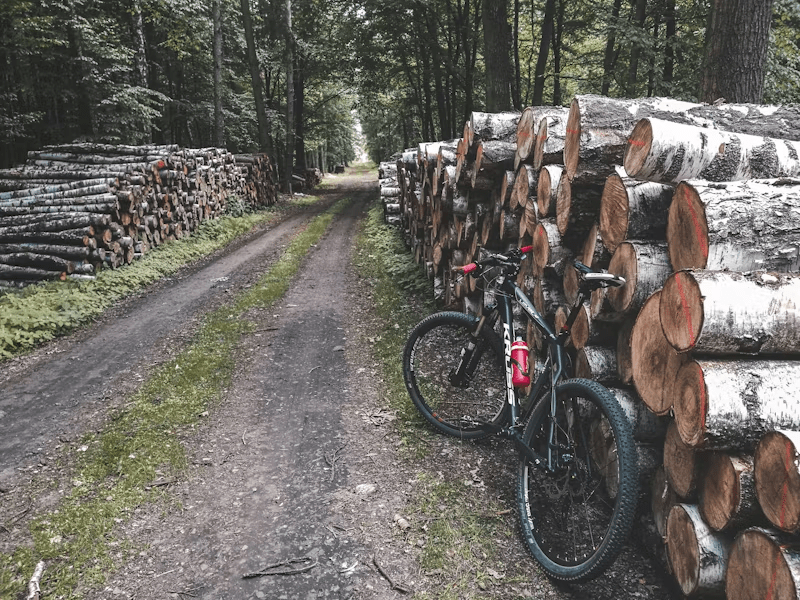
Logs will save the day.

It appears the PDFBOX process isn’t returning any text. Using the shell alias I run the command manually:

root@159:/app# java -jar resources/pdfbox-3.0.2.jar export-text -i resources/sample1.pdf -startPage=1 -endPage=2
no main manifest attribute, in resources/pdfbox-3.0.2.jar

That’s odd! Wait a minute… something’s not right.

I double the README.md and see that the pdfbox jar is not correct! It needs to be pdfbox-app-3.0.2.jar not pdbox-3.0.2.jar.

I amend the prebuild hook:

PDFBOX_JARFILE=pdfbox-app-3.0.2.jar

After I redeploy and retest:

curl -X POST -F file=@resources/sample1.pdf -F 'checks={"ensure_missing":
["perpetuity","prohibited", "free software"],
"ensure_existing":
["GNU", "license", "idaho"]}
' https://sherldoc.planzerollc.com/api/scan
{"output":{"found":{"pages":{"1":["free software"],"6":["perpetuity"],"10":["free software"],"11":["free software"]},"words":{"free software":{"1":4,"10":3,"11":3},"perpetuity":{"6":1}}},"missing":["idaho"]}}

This is the output I was expecting! We did it! I’ll call this one done for now.

I hope you have enjoy my quest to use a Rails oriented deployment tool in an unexpected way. Despite the stumbles and bruises, I deployed a PHP application using Kamal. I learned new things along the way but there’s a lot more to discover.

We did it! The quest is complete!

If you have questions or comments about what you have read so far, please email me at [email protected]. I look forward to hearing from you.

Building in Public: Deploy a PHP Application with Kamal, part 3

This is the third part of a series about deploying a non-Rails application with Kamal 2. Read the previous article here. Follow this journey at https://github.com/jjeffers/sherldoc.

Quitters don’t win and winners don’t quit. Or until they pass out from blood loss.

Deploying a Queue Worker

I need to provision a “version” of sherldoc that will handle workers to process asynchronous jobs for the web application. The original sherldoc docker compose layout used a shared docker volume and the same sherldoc web container to run the queue workers.

In our configuration the containers don’t share a mounted volume at runtime. Instead, each image uses the same container image with similar post-run commands. The final docker entrypoint commands will diverge, with the queue worker starting the artisan worker process instead of the web application server steps.

Our deploy.yml includes the following additional server entry:

...
image: sherldoc-web 
...  
servers:
  web:
    hosts:
      - 159.203.76.193
    cmd: bash -c "/app/prepare_app.sh && cd /app/public; frankenphp php-server"

  workers:
    hosts:
      - 159.203.76.193
...

Kamal uses every server entry to deploy a container of the image entry, “sherldoc-web”. I can override the “workers” container with a new CMD.

After a another deploy I check kamal app details :

kamal app details -c ./deploy.yml 
  INFO [006857a0] Running docker ps --filter label=service=sherldoc --filter label=role=web on 159.203.76.193
  INFO [006857a0] Finished in 2.108 seconds with exit status 0 (successful).
App Host: 159.203.76.193
CONTAINER ID   IMAGE                                                                                                                          COMMAND                  CREATED              STATUS              PORTS              NAMES
bc7b3029bda6   registry.digitalocean.com/team-james-demo/sherldoc-web:[...]   "docker-php-entrypoi…"   About a minute ago   Up About a minute   80/tcp, 9000/tcp   sherldoc-web-[...]

  INFO [4c339292] Running docker ps --filter label=service=sherldoc --filter label=role=workers on 159.203.76.193
  INFO [4c339292] Finished in 0.229 seconds with exit status 0 (successful).
App Host: 159.203.76.193
CONTAINER ID   IMAGE                                                                                                                          COMMAND                  CREATED              STATUS              PORTS              NAMES
a913b7fcd417   registry.digitalocean.com/team-james-demo/sherldoc-web:[...]   "docker-php-entrypoi…"   About a minute ago   Up About a minute   80/tcp, 9000/tcp   sherldoc-workers-[...]

Both containers are up, but the container with the name “sherldoc-workers” started with the artisan queue:work command.

Why No Supervisor?

“If I can’t see you working, how do I know if you are getting anything done?”

I debated adding the supervisor (the process control utility) indicated in the source project’s docker compose configuration.

I suspect if sherldoc-workers container halted kamal-proxy would then restart it. I am not aware of any restart policy set for the docker containers on the server. Any restart would have to be external to the docker engine.

I tested this theory, attaching to the sherldoc-worker container and killing the main process, artisan queue:work. Within a few moments a new sherldoc-workers container was up and running.

Given this, I decide not to install or run supervisor.

Booting Additional Accessories

Next, I stand up Redis and Apache Tika.

...
accessories:
  ...
  redis:
     host: 159.203.76.193
     image: redis:6
     directories:
      - data.redis:/data

  tika:
    image: apache/tika:2.9.2.1-full
    ports:
      - 9998:9998

With that configuration change I start the redis instance:

kamal accessory boot redis -c ./deploy.yml 
  INFO [2f687e13] Running /usr/bin/env mkdir -p .kamal on 159.203.76.193
  INFO [2f687e13] Finished in 1.466 seconds with exit status 0 (successful).
Acquiring the deploy lock...
  INFO [bdb656a9] Running docker login registry.digitalocean.com/team-james-demo -u [REDACTED] -p [REDACTED] on 159.203.76.193
  INFO [bdb656a9] Finished in 0.936 seconds with exit status 0 (successful).
  INFO [34829155] Running docker network create kamal on 159.203.76.193
  INFO [16f49764] Running /usr/bin/env mkdir -p $PWD/sherldoc-redis/data.redis on 159.203.76.193
  INFO [16f49764] Finished in 0.210 seconds with exit status 0 (successful).
  INFO [bf65cb9c] Running /usr/bin/env mkdir -p .kamal/apps/sherldoc/env/accessories on 159.203.76.193
  INFO [bf65cb9c] Finished in 0.171 seconds with exit status 0 (successful).
  INFO Uploading .kamal/apps/sherldoc/env/accessories/redis.env 100.0%
  INFO [f431adff] Running docker run --name sherldoc-redis --detach --restart unless-stopped --network kamal --log-opt max-size="10m" --env-file .kamal/apps/sherldoc/env/accessories/redis.env --volume $PWD/sherldoc-redis/data.redis:/data --label service="sherldoc-redis" redis:6 on 159.203.76.193
  INFO [f431adff] Finished in 1.865 seconds with exit status 0 (successful).
Releasing the deploy lock...

And finally, I spin up the Tika instance:

kamal accessory boot tika -c ./deploy.yml 
  INFO [32435277] Running /usr/bin/env mkdir -p .kamal on 159.203.76.193
  INFO [32435277] Finished in 1.398 seconds with exit status 0 (successful).
Acquiring the deploy lock...
  INFO [42be2d9b] Running docker login registry.digitalocean.com/team-james-demo -u [REDACTED] -p [REDACTED] on 159.203.76.193
  INFO [42be2d9b] Finished in 0.537 seconds with exit status 0 (successful).
  INFO [e9abb23f] Running docker network create kamal on 159.203.76.193
  INFO [b36fa775] Running /usr/bin/env mkdir -p .kamal/apps/sherldoc/env/accessories on 159.203.76.193
  INFO [b36fa775] Finished in 0.207 seconds with exit status 0 (successful).
  INFO Uploading .kamal/apps/sherldoc/env/accessories/tika.env 100.0%
  INFO [94a1e92e] Running docker run --name sherldoc-tika --detach --restart unless-stopped --network kamal --log-opt max-size="10m" --publish 9998:9998 --env-file .kamal/apps/sherldoc/env/accessories/tika.env --label service="sherldoc-tika" apache/tika:2.9.2.1-full on 159.203.76.193
  INFO [94a1e92e] Finished in 16.586 seconds with exit status 0 (successful).
Releasing the deploy lock...

So far everything looks like it’s working, or at least the parts are operational. I’ll dive into the application itself next and see is working under the hood.

“I have no idea what I’m doing. Please come again.”

Building in Public: Deploy a PHP application with Kamal, part 2

“Those fools at Radio Shack called me mad!”

This is the second part of a series about deploying a non-Rails application with Kamal 2. Read the first article here.

First, Some Housecleaning

Kamal places the generated deployment configuration file into config/deploy.yml. For our project this is a minor problem.

The sherldoc project contains the application code itself in the root of the respository and includes it’s own config/ directory. This directory is used for the PHP application configuration.

Adding the Kamal deployment configuration here muddies the water – mixing our application and deployment configuration. I move the file out of the config/ directory to the root of the project.

Since Kamal looks to the config/deploy.yml location by default, I now specify the location of the config file for every command. For example:

kamal deploy -c ./deploy.yml

Towards a Minimally Functional, Deployed Web App

I really want to see the sherldoc application deployed and reachable by HTTP by the public IP address of our VM. I can observe the state of the web application image both locally and during deployments.

Since the sherldoc application isn’t configured and prepared by the deployment process yet the application will not respond to any HTTP requests. That means that kamal-proxy will also not detect the app as healthy and will not forward requests to the running container.

The logs for the container show the state of the web application during the container execution:

jdjeffers@snappy-13g:~/kamal/sherldoc$ curl localhost:80
<br />
<b>Warning</b>:  require(/app/public/../vendor/autoload.php): Failed to open stream: No such file or directory in <b>/app/public/index.php</b> on line <b>13</b><br />
<br />
<b>Fatal error</b>:  Uncaught Error: Failed opening required '/app/public/../vendor/autoload.php' (include_path='.:') in /app/public/index.php:13
Stack trace:
#0 {main}
  thrown in <b>/app/public/index.php</b> on line <b>13</b><br />

Warning: require(/app/public/../vendor/autoload.php): Failed to open stream: No such file or directory in /app/public/index.php on line 13

Fatal error: Uncaught Error: Failed opening required '/app/public/../vendor/autoload.php' (include_path='.:') in /app/public/index.php:13 Stack trace: #0 {main} thrown in /app/public/index.php on line 13

I think it’s clear there are more steps we need to take to get the web application ready for action.

The scripts/ directory contains sets of commands that indicate what preparation the web application needs before it can serve requests. When using the docker compose as a deployment tool, these scripts would be used to perform the preparation steps.

scripts/
├── dockerbuild
├── dockerdown
├── dockerfirst
├── dockerstart
├── dockerstop
├── dockerup
├── shell
└── storagesetup.sh

Peeking into scripts/dockerfirst we can see commands to issue via docker compose on the app container. Specifically, I need to install PHP packages with composer, then run migrations and cache generation with the PHP artisan utility. Finally the frontend JavaScript runtime should be started with npm.

cp -n .env.example .env;
./scripts/dockerbuild;
docker compose -f docker-compose.yml up -d;
./scripts/storagesetup.sh;
time docker compose exec app composer install;
time docker compose exec supervisor composer install;
time docker compose exec app php artisan migrate:fresh --seed --force;
#time docker compose exec app php artisan route:cache;
#time docker compose exec app php artisan config:cache;
docker compose exec app npm install;
docker compose exec app npm run dev;

Modifying the PHP web application Dockerfile

To keep things simple, I modify the PHP dockerfile to run the preparation steps into both RUN and CMD directives. I can use RUN for actions that can occur before the container is in a run state like composer package installation and storage directory creation. The CMD as steps to run once the container is running in the deploy environment, like database migrations.

WORKDIR /app
RUN mkdir -p storage storage/framework storage/framework/cache storage/framework/sessions storage/framework/testing storage/framework/views storage/logs;
RUN composer install;
...
CMD php artisan migrate --force; \
    php artisan route:cache; \
    php artisan config:cache; \
    npm install; \
    { npm run dev & }

Next, I can the next deployment attempt with kamal deploy -c ./deploy.yml. The results:

#20 1.649   Database file at path [/app/database/database.sqlite] does not exist. Ensure this is an absolute path to the database. (Connection: sqlite, SQL: select name from sqlite_master where type = 'table' and name not like 'sqlite_%' order by name)
#20 1.649 
#20 1.649   at vendor/laravel/framework/src/Illuminate/Database/Connection.php:813
#20 1.654     809▕                     $this->getName(), $query, $this->prepareBindings($bindings), $e
#20 1.654     810▕                 );
#20 1.654     811▕             }
#20 1.654     812▕ 
#20 1.654   ➜ 813▕             throw new QueryException(
#20 1.654     814▕                 $this->getName(), $query, $this->prepareBindings($bindings), $e
#20 1.654     815▕             );
#20 1.654     816▕         }
#20 1.654     817▕     }
#20 1.654 
#20 1.654       +30 vendor frames 
#20 1.654 
#20 1.654   31  artisan:13
#20 1.654       Illuminate\Foundation\Application::handleCommand(Object(Symfony\Component\Console\Input\ArgvInput))
...
--------------------
  38 |     RUN mkdir -p storage storage/framework storage/framework/cache storage/framework/sessions storage/framework/testing storage/framework/views storage/logs;
  39 |     RUN composer install;
  40 | >>> RUN php artisan migrate:fresh --seed --force;
  41 |     RUN npm install;
  42 |     RUN npm run dev;
--------------------
ERROR: failed to solve: process "/bin/sh -c php artisan migrate:fresh --seed --force;" did not complete successfully: exit code: 1

Adding a Postgres Database

Based on the logs showing the last deployment failure, I know that the next step would be add a database to our deployment process. The included .env.example indicates that the preferred database should be Postgres:

#DB_CONNECTION=sqlite
DB_CONNECTION=pgsql
DB_HOST=pgsql
DB_PORT=5432
DB_DATABASE=sherldoc
DB_USERNAME=sherldoc
DB_PASSWORD=sherldoc

Kamal makes it easy to prepare a database with the accessories declarations. The result looks like this in the deploy.yml:

accessories:
  postgres:
      host: 159.203.76.193
      image: pgvector/pgvector:pg16
      port: 5432
      env:
        POSTGRES_PASSWORD: sherldoc
        POSTGRES_USER: sherldoc
        POSTGRES_DB: sherldoc
      directories:
        - ./docker/pgdata161:/var/lib/postgresql/data

I selected the pgvector image because it’s based on the postgres16 container builds, but already included the vector extensions required by sherldoc.

Testing the HTTP requests to running container show me that there is another problem. The original web serving infrastructure uses nginx and php-fpm, but currently there is no way to serve the PHP files.

No web service for you!

Alternatives to Nginx/PHP-FPM

At this point I have to decide to continue with nginx somewhere in our deployment configuration. Does it belong in the web app image, or does it live as an accessory? It’s not clear to me how kamal-proxy would handle the gapless deployments in this orientation. It may also not make as much sense to use nginx as an addition the web app image. I can’t see what would be gained with that approach.

I found a standalone PHP web server called frankenphp. There is a container image for this server that I can base the sherldoc we app on. I found the resulting image bloat for sherldoc to be more than I’d like (nearly twice the size of the php-fpm base image).

Some containers are just too fat.

I stick with the php-fpm image, but since we are overriding the entrypoint command we still have to start the frankenphp server as well.

I amend the sherldoc Dockerfile to install frankphp and then start the webserver:

RUN curl https://frankenphp.dev/install.sh | sh \
    && mv frankenphp /usr/local/bin/
...
EXPOSE 80
CMD php artisan migrate --force; \
    php artisan route:cache; \
    php artisan config:cache; \
    npm install; \
    { npm run dev & }; \
    cd /app/public; \
    frankenphp php-server

There is another adjustment I make to the proxy configuration health check. I change the health check path to reflect an expected path, /main/login/:

proxy:
  #ssl: true
  host: 159.203.76.193
  # kamal-proxy connects to your container over port 80, use `app_port` to specify a different port.
  healthcheck:
    interval: 3
    path: /main/login
    timeout: 3

Another deployment attempt finally shows a stable image:

  ...
  INFO Container is healthy!
  INFO [fdcb4fa8] Running docker tag registry.digitalocean.com/team-james-demo/sherldoc:dd83294d6a178fa10cb8797b1584f7e14b04f280_uncommitted_ef152c1c348ee1bc registry.digitalocean.com/team-james-demo/sherldoc:latest on 159.203.76.193
  INFO [fdcb4fa8] Finished in 0.690 seconds with exit status 0 (successful).
Prune old containers and images...
  INFO [84bd3457] Running docker ps -q -a --filter label=service=sherldoc --filter status=created --filter status=exited --filter status=dead | tail -n +6 | while read container_id; do docker rm $container_id; done on 159.203.76.193
  INFO [84bd3457] Finished in 0.453 seconds with exit status 0 (successful).
  INFO [109e763d] Running docker image prune --force --filter label=service=sherldoc on 159.203.76.193
  INFO [109e763d] Finished in 0.476 seconds with exit status 0 (successful).
  INFO [3e2925c5] Running docker image ls --filter label=service=sherldoc --format '{{.ID}} {{.Repository}}:{{.Tag}}' | grep -v -w "$(docker container ls -a --format '{{.Image}}\|' --filter label=service=sherldoc | tr -d '\n')registry.digitalocean.com/team-james-demo/sherldoc:latest\|registry.digitalocean.com/team-james-demo/sherldoc:<none>" | while read image tag; do docker rmi $tag; done on 159.203.76.193
  INFO [3e2925c5] Finished in 0.650 seconds with exit status 0 (successful).
Releasing the deploy lock...
  Finished all in 299.5 seconds

I can finally reach the web application through the VM’s public IP address, as kamal-proxy is forwarding the requests to the sherldoc web application container

Your Reward for Your Hard Work is Yet More Hard Work

Sometimes your purpose in life is just to serve as an example to others.

It occurs to me that while there is this momentary victory I still have a ways to go until sherldoc is fully functional. For example, I still need to stand up the application queue workers, the Apache Tika service, and a Redis queue.

The original sherldoc deployment uses Docker volumes to share a deployed set of files into each concerned container (as /app). Since Kamal expects a different paradigm on container orchestration, this approach is not ideal.

Instead of sharing the application files among different containers, each provisioned for a distinct concern), I adopt the Kamal expectation that the same web application image is deployed, but with distinct “roles”. The differentiating factor is the configuration for each of the non-“web” roles.

In this case, for example, I want to provide a specific entrypoint command for the web app vs a job queue worker container.

I separate the common web application steps into a bash shell script that is always invoked (docker/app/php/prepare_app.sh). I restrict the script commands to only steps that are common among the web app role and any other role using the same image.

The web app role now includes a specific “cmd” configuration:

servers:
  web:
    hosts:
      - 159.203.76.193
    cmd: bash -c "/app/prepare_app.sh && cd /app/public; frankenphp php-server"

I check the deployment again:

...
Prune old containers and images...
  INFO [5eaef66c] Running docker ps -q -a --filter label=service=sherldoc --filter status=created --filter status=exited --filter status=dead | tail -n +6 | while read container_id; do docker rm $container_id; done on 159.203.76.193
  INFO [5eaef66c] Finished in 2.491 seconds with exit status 0 (successful).
  INFO [044dc517] Running docker image prune --force --filter label=service=sherldoc on 159.203.76.193
  INFO [044dc517] Finished in 1.208 seconds with exit status 0 (successful).
  INFO [74bda6c6] Running docker image ls --filter label=service=sherldoc --format '{{.ID}} {{.Repository}}:{{.Tag}}' | grep -v -w "$(docker container ls -a --format '{{.Image}}\|' --filter label=service=sherldoc | tr -d '\n')registry.digitalocean.com/team-james-demo/sherldoc-web:latest\|registry.digitalocean.com/team-james-demo/sherldoc-web:<none>" | while read image tag; do docker rmi $tag; done on 159.203.76.193
  INFO [74bda6c6] Finished in 3.217 seconds with exit status 0 (successful).
Releasing the deploy lock...
  Finished all in 50.6 seconds

It’s looking good! Again, I check the web service an HTTP request through the public IP:

curl -v -s http://159.203.76.193/main/login 1> /dev/null
*   Trying 159.203.76.193:80...
* Connected to 159.203.76.193 (159.203.76.193) port 80 (#0)
> GET /main/login HTTP/1.1
> Host: 159.203.76.193
> User-Agent: curl/7.81.0
> Accept: */*
> 
* Mark bundle as not supporting multiuse
< HTTP/1.1 200 OK
...
* Connection #0 to host 159.203.76.193 left intact

Next, I plan to add the additional role for the job queue worker and other accessories.

Follow along at my fork of sherldoc on github.

Building in Public: Deploy a PHP application with Kamal

The Challenge

After Michael Kimsal released his proof of concept project sherldoc, I was wondering if I could deploy this using Kamal, a deployment tool typically used for Rails web applications. Supposedly Kamal is application and framework agnostic.

Getting this to work is like looking for Bigfoot or that Giant Squid you see in those late night shows on the History Channel. It should be possible!

First, let us look at sherldoc’s description:

Web service endpoint to scan a document for

  • existence of keyword or phrase
  • absence of keyword or phrase

The project provides a Docker Compose configuration for deployment. Several assumptions are built into the current configuration, which I will outline later. The challenge will be to convert these assumptions into Kamal configuration directives and then get a running sherldoc instance.

Why Kamal?

Kamal promises:

Kamal offers zero-downtime deploys, rolling restarts, asset bridging, remote builds, accessory service management, and everything else you need to deploy and manage your web app in production with Docker. Originally built for Rails apps, Kamal will work with any type of web app that can be containerized.

and

Kamal basically is Capistrano for Containers, without the need to carefully prepare servers in advance. 

Capistrano was the old reliable deployment tool for many years in the Rails world. The idea that we can use the same ease of deployment with containers on a naked VM is attractive.

The whole point is to make it easy to put your application on a low-cost VM, either in some hosted environment or perhaps an on-premise machine. Consider this to be a potent weapon in the crusade against BigVMTM.

I am not a PHP expert, so getting this to work will push me outside of my comfort zone. I may fail. I may not find the Giant Squid or Bigfoot. In the worst case, I’ll learn something new.

Analyzing the Docker Compose configuration

I start by examining the original docker-compose.yml file for clues:

services:
     nginx:
          image: nginx:stable-bullseye
...
     app:
          image: sherldoc/web:1.0
...
     redis:
          image: redis:6
...
     tika:
          image: apache/tika:2.9.2.1-full
...
     supervisor:
...
     psql:
          image:postgres:16.1-bullseye
...

We start with the entry “app”, which is the PHP web application. This will be the source of our Kamal application image. Kamal creates this image and then stores it in a registry we specify. Once successfully connected to our provisioned virtual machine, Kamal installs docker and then download the image from the registry.

We can see that the original configuration required a docker supervisor process “supervisor”. Since we will only require a single image, the PHP application, the supervisor is not needed. Therefore, we omit this in our Kamal configuration. [Edit: This is not correct. The supervisor image is actually the sherldoc application “jobs” worker process. We will need to replicate this and as we will see, Kamal anticipates this need.]

The “nginx” entry hints that the PHP web application depends on the Nginx application proxy. We can peek inside the associated Nginx dockerfile (docker/app/nginx/conf.d/app.conf) and see that the application directives. Kamal provides an application proxy (“kamal-proxy”, https://kamal-deploy.org/docs/configuration/proxy/) which, in theory, provides the same capabilities.

The “redis”, “tika”, and “postgres” entries indicate additional services that the web application relies on. Each of these services has an associated container image.

Kamal provides configuration options for “accessory” services as well (https://kamal-deploy.org/docs/configuration/accessories/). As long as we can use the same images and apply similar configuration options to match the original values in the docker-compose.yml file it should work.

Preparing for Kamal

I forked the project to avoid bombarding the original project with PR requests. Perhaps my work will be merged in later.

Next I installed Kamal and initialized the local workspace with kamal init.

Next, I edited the default Kamal configuration (config/deploy.yml) with the following, removing all the comments for easier reading:

service: sherldoc

# Name of the container image.
image: sherldoc

# Deploy to these servers.
servers:
  web:
    - 159.203.76.193
registry:
  server: registry.digitalocean.com/team-james-demo
  username: my-user

  password:
    - KAMAL_REGISTRY_PASSWORD

builder:
  arch: amd64
  dockerfile: docker/app/php/php.dockerfile

Let’s review the contents:

service: sherldoc

# Name of the container image.
image: sherldoc

The name is just the name of the original project. No magic here.

servers:
  web:
    - 159.203.76.193

The IP address is the same address as the provisioned in my VM provider of choice at Digital Ocean. This is the cheapest configuration I could find. It might be too small or under provisioned, but we can fix that later.

registry:
  server: registry.digitalocean.com/team-james-demo
  username: my-user

  password:
    - KAMAL_REGISTRY_PASSWORD

Kamal will generate a docker image then push that image into your registry. Because I am using Digital Ocean I can use the Digital Ocean registry service. I could have also used Docker Hub, AWS Elastic Container Store, or any other container registry.

The KAMAL_REGISTRY_PASSWORD is an environment variable set to the credentials (an authentication token) provided by Digital Ocean. For security reasons, I don’t want to commit the actual value to the configuration file. I’ll leave this to be constituted at runtime.

First deployment attempt

All these things in place, we kick off the build with “kamal setup”.

INFO [fe0776d2] Running /usr/bin/env mkdir -p .kamal on 159.203.76.193
INFO [fe0776d2] Finished in 1.702 seconds with exit status 0 (successful).
Acquiring the deploy lock...
Ensure Docker is installed...
INFO [edde3944] Running docker -v on 159.203.76.193
INFO [edde3944] Finished in 0.186 seconds with exit status 0 (successful).
Log into image registry...
INFO [8eb7c038] Running docker login registry.digitalocean.com/team-james-demo -u [REDACTED] -p [REDACTED] as jdjeffers@localhost
... (lots of logs cut out here) 
INFO [9ce887de] Running docker container ls --all --filter name=^sherldoc-web-7ceb4de587a2119c9b007f40973a40cd7eb88b8e$ --quiet | xargs docker inspect --format '{{json .State.Health}}' on 159.203.76.193
INFO [9ce887de] Finished in 0.249 seconds with exit status 0 (successful).
 ERROR null
INFO [54c5ab35] Running docker container ls --all --filter name=^sherldoc-web-7ceb4de587a2119c9b007f40973a40cd7eb88b8e$ --quiet | xargs docker stop on 159.203.76.193
INFO [54c5ab35] Finished in 0.404 seconds with exit status 0 (successful).
  Finished all in 571.2 seconds
Releasing the deploy lock...
  Finished all in 573.5 seconds
ERROR (SSHKit::Command::Failed): Exception while executing on host 159.203.76.193: docker exit status: 1
docker stdout: Nothing written
docker stderr: Error: target failed to become healthy

This result is expected for several reasons. The original application:

  1. doesn’t provide a default 200OK to the kamal heartbeat request at “/up”,
  2. expects a redis instance,
  3. expects an Nginx application proxy,
  4. expects a tika server process,
  5. expects a PostgreSQL database.

Without these other services, the sherldoc PHP application is probably not going work! We’ll fix these issues next.

Want to follow this quest? Read part 2!

Book Review: “The Business Case For AI” by Kavita Ganesan, PhD

Amazon.com page for “The Business Case for AI”

“The Business Case for AI” summarizes the landscape of artificial intelligence (AI) in a simple, easy to understand format for business and technology leaders.

The author (Kavita Ganesan) sets out to clarify when and how AI technologies provide value to a business. She describes the process of understanding AI in a business context. She directly addresses the pain and anxiety of leaders who are trying to grapple with uncertainty:

  1. Where you can apply AI
  2. How, as a leader, you can start preparing your organization for AI
  3. How to find the right AI opportunities to invest in so you’re not wasting time and money
  4. How to determine if your AI initiatives are generating meaningful outcomes.

If these worries are keeping you up at night, this book is for you.

The author promises that if followed then the big promise will be paid off. She sets an optimistic tone for the rest of the book.

The book identifies 4 benefits of AI for a business:

  1. Eliminating Inefficiencies
  2. Reducing Human Error
  3. Deeper Insights
  4. Increased Profits

That last benefit will be the most interesting to almost any business leader. Ganesan explains all of these in greater detail. The book is presented in parts:

  1. “Frame Your AI Thinking” – discusses the fears around AI and dispels myths that prevent effective adoption of AI as a tool.
  2. “Get AI Ideas Flowing” – explains how to approach AI as a means to improve existing business problems with a series of case studies.
  3. “Prepare for AI” – describes how to prepare your organization to implement or integrate AI solutions, including both people, infrastructure, and budget.
  4. “Find AI Oppportunities” – delves into how to determine when and how different AI strategies will benefit your situation.
  5. “Bring Your AI Vision to Life” – finally, once AI projects are underway the outcomes must me measured for success.

There is enough detail to provide context without going into details that would be better in a deep technical exploration. In many places the author provides clear breakdowns of her expertise. For example, you will see several tables that distill a thought process. For example, examining gap in readiness for AI projects:

RubricAnswer
1. We know what data we have.No
2. We’re storing most company generated data.Some
3. We’re able to access all our data stores.No
4. We’re logging search and key customer interactions…Yes
“Example rubrics for identifying AI readiness gaps…”, pg 165

Throughout the book the author mentions additional resources with templates and other resources for readers at https://www.opinosis-analytics.com/aibusinesscasebook.

Key Takeaways

This book is a very good introduction to the field of practical AI and how it relates to a business. It answers the questions of “What can I do with AI?”, “How will AI help our business?” and also “Is AI a tool we can use right now?”

Ganesan does a good job at explaining how in some cases your business will not be ready for AI. Premature investment in an AI project will cost you a lot of time and a lot of money. She presents several examples of how to assess readiness for AI as well as case studies where the desire to use AI was based on personal feelings, not hard facts.

This book serves as a useful guide on how explain the opportunities and caveats with AI to a non-technical leader or business owner.

Software Estimation Doesn’t Work

Definitions

The phrase “software estimation” means estimating tasks to answer the question “when will this thing get done”.

“Done” means it’s delivered and some end user (a customer, for example) is getting value from it. Those are the general meanings for these terms for this discussion.

Why do we try to estimate software?

Maybe there is a deadline (“This has to be ready for Big Client by December 10th, so they can use it for their end of year accounting period.”) or cash flow consideration (“We need to sell this feature to meet our revenue expectations for the 2nd quarter.”). There may also be dependencies on the work where the expected completion is important for those items.

How Estimations are Typically Given and Used

Example 1, A very common conversation between a product manager and an engineer:

Product Manager: “How long do you think it will take to do this feature? Last week the team pointed this as an 8…”

Engineer: “Well, yeah it’s a lot like that other feature we did 2 months ago, but there’s a change in the data format, I’m not sure we actually handle that yet, and I’ve still have to make sure that the fix we deployed on Tuesday is working. I guess I could get that done by Friday.”

Product Manager: “Ok, so 4 days?”

Example 2, a manager discusses an ongoing bug fix with a customer facing team:

Support Manager: “I can see that this bug fix was started on Monday, but the client is asking about it and we have a call with them at 3pm! Can we get an estimate on when this will be done?”

Engineering Manager: “We don’t know what the root cause is yet, for sure. But we think it’s a problem with an code change we rolled out last week, which changed the APR calculation for all of those reports. We hope to have this fixed in a few days.”

The person trying to plan for a large project will use this information to schedule future work. They will try and calibrate the personal estimate to a real date on the calendar. They are trying to answer the question “When will X be done?” with a concrete answer: “May 7th”.

This is particularly important when establishing trust between a product team and a client. If the answer is wrong, the product will lose the client’s trust. They will perceive the product as less trustworthy. If enough trust is lost, the client may decide to stop buying the product!

What’s Wrong with Estimations?

Information from any estimate will be incorrect because of local safety. Local safety refers to the tendency of the persona giving the estimate of adding time to ensure that they are not late. No one wants to be perceived as being unprofessional and delivering software late would look bad.

Never mind that the person giving the estimate has almost no control over the entire process involved with delivery, may not understand the problem completely, or that the goals of the task will be changed while it’s being worked on. The person will still be stigmatized with being late.

If you doubt this, observe any team using classic Scrum methodology. The typical understanding is that the team doing the work commits to completing a set of work in the given sprint cycle. It is the engineers who are committing to this, no one else. It is the engineers who will be blamed for not meeting the commitment.

This is a perverse incentive that guarantees estimations on “when will X be done” will probably be wrong.

Are Estimations Worthless?

“Plans are worthless, but planning is essential.” – Dwight D. Eisenhower

There are of course plenty of situations where estimations are useful. A person tasked with doing the work may find it a valuable exercise to thoroughly plan their work for a task. The effort to construct a plan, even if flawed, may reveal critical assumptions that can be corrected or raised to management for clarification.

So estimations are not worthless but they are potentially counter-productive for planning a software construction schedule.

What to do instead of estimating?

The short answer is “yesterday’s weather”, a term that refers to using actual data to forecast future conditions.

One of the best tool sets for forecasting can be found here, at the Focused Objective site. The site also features classes and workshops where the math behind the tools is explained in a very approachable manner.

Know when software will be done. Install this free plugin for JIRA now with a free plugin that generates a forecast report current and planned issues.

Ruby & Rails Version Matrix

“I’m stuck with upgrading a Rails app from 3.x to something – anything! – newer. Just #$&! kill me now.”

Chances are you will be given a limping Rails application written years ago by someone else that never made the upgrade to more recent versions. It’s a pain in the ass to figure out which version of Ruby to use for the version of Rails you are upgrading to.

This is a summary of several sources for which versions of Ruby are required and recommended for different Rails releases.

Rails versionRuby versionRuby end-of-lifeRails end-of-life
6.0.0.beta1 >= 2.5.0
5.0.0beta1 to 5.2.2>= 2.2.2
4.2.1 to 4.2.11>= 1.9.3, 2.2 recommended
4.1 to 4.2.0>= 1.9.3, 2.1 recommended
4.0.5 to 4.1.0.rc2>= 1.9.3February 23, 20154.1.x December 18. 2015
4.0.0.beta1 to 4.0.4>= 1.8.7June 20134.x March 20, 2017
3.2.22 to 3.2.22.51.8.7, 2.2 recommended
3.2.13 to 3.2.22.41.8.7, 2.0 recommended
0.8.0 to 3.2.13.rc21.8.7June 20133.2.22 June 16, 2015

Sources:

https://www.devalot.com/articles/2012/03/ror-compatibility

https://stackoverflow.com/questions/9087116/which-ruby-on-rails-is-compatible-with-which-ruby-version

https://weblog.rubyonrails.org/2013/2/27/Rails-3-2-13-rc1-has-been-released/

https://weblog.rubyonrails.org/2015/6/16/Rails-3-2-22-4-1-11-and-4-2-2-have-been-released-and-more/

Keep Calm and Add Unit Tests with Python

“I just can’t figure out why my program doesn’t work. Can someone help me?”

“I’ve been working on this for hours and I’m still stuck.”

“I had it working a few minutes ago, but I did something and now nothing works!”

Making Your Own Private Hell

You probably mastered a few basics, like writing a simple Python program. You’ve gained confidence that you can write a loop or a function. You can see how a basic Python program works. You are hungry for more.

Maybe you are plowing through a book or a course on Python. Maybe it’s a class you’re taking. Or maybe you are getting ambitious and you decide to create something new, like a Reddit bot.

You are busy adding working code. You test every now and then by running the program. If there’s a problem, you edit the file and run the program again. Everything seems so easy.

Then you realize something is wrong. That part you tested 10 minutes ago, by hand, but didn’t test until just now… it’s not working. Are you just imagining this? No, you try it again. It’s still wrong. It’s still broken. If you run the program 10 more times, magic will happen and it will work. Right?

Again and again you try to fix the problem, but it only ends up somehow worse than before. Minutes turn into hours. Time is slipping by. You are so frustrated you are ready to hurl your computer out the nearest window. Why did you think you could do this programming thing anyway? It’s impossible! Only computer geniuses could keep all this straight. And this is just a basic program!

“Is it too late to get my money back?”, you think.

The Way Out

What if you could avoid all of this misery? Imagine if you could use Python itself to check if your new program was correct every time you made a change? As soon as you made any change, you could check to see if you made a mistake. You could find out right away if the change you just made made things better or worse?

Think about this: if you can check your program after every change, and you keep the changes small, then you only have to undo a small change to get back on track. This would keep you from wasting your time with big changes that will derail you for hours or days.

You should write automated software tests. When I say “automated” I mean tests you don’t have to keep in your meat brain. You just have to remember to run a single command to run every test instead of remembering to run a program multiple times to check every situation.

There’s another important benefit to these tests – it’s a professional habit. Writing tests differentiates the pros from the slobs. Writing tests for your program is like basic sanitation for doctors. Would you trust a doctor to perform surgery without washing their hands first?

Writing Tests – A Detailed Example

In this example, we already have a Python source file called rational.py.

For now, I just want you to get comfortable with the tools of creating and then running your first real tests. That’s what you’ll learn today.

You’ll get the most out of this example by following along and running the examples. The original program is located here. If you are familiar with git, you can clone the repository. Otherwise you can just copy the source code locally.

First let’s look at files in the original project.

The rational.py is the implementation and rationaltest.py is a test driver.

The test driver in this project is a “poor man’s” test framework. It’s functional, sure. If you run the file you’ll get a result like this:

https://asciinema.org/a/170593.js

We’re going to use the rationaltest.py to make our first tests easy to write. You only have to concern yourself with how to construct the tests using a testing framework. We’ll use pytest for this example.

Let’s run pytest and see what happens:

https://asciinema.org/a/170559.js

Just as we expected, no test were run. Let’s add the file that will hold the tests. Let’s call the test file test_rational.py. The name is important.

As mentioned in the pytest documentation, the framework uses standard test discovery to find and run tests.

We’re concerned with 2 basic rules in this example:

  1. files named test_*.py in the directory
  2. files named *_test.py in the directory

Let’s run the pytest command again with our new (empty) test file, test_rational.py.

https://asciinema.org/a/170580.js

Again, no tests were detected, so no tests ran. Let’s add a test.

If we use the existing smoke test file as a guide, you’ll see a series of tests lists. As a general rule, it’s easier to test the behavior of code that has the fewest dependencies. What do I mean by this?

Looking at the Rational class, you might be tempted to start testing there. However, you’ll see that the implementation of that class depends on another function, gcd.

If a test of the Rational class fails we can’t be sure that the class is responsible for the error. At least not yet. We should drill further into the dependency of the class and start with the “bricks” the foundation of the Rational class is built upon.

This is why gcd is a good candidate. The comments in the function tell us that it’s based on Euclid’s algorithm for finding the greatest common denominator (gcd) of 2 integers.

Since we know the general expectations of how gcd works, we can start with a simple test case. On paper, Euclid’s algorithm predicts the gcd(3,0) will be 3.

Our test file now looks like this:

[cc lang=”python” escaped=”true” width=”370″ theme=”blackboard”]
import rational

def test_gcd_a_0_is_0():
assert True
[/cc]

If we run pytest again:

https://asciinema.org/a/170586.js

So far, so good. Let’s replace the assertion with a real test, but with a clearly wrong answer.

[cc lang=”python” escaped=”true” width=”370″ theme=”blackboard”]
import rational

def test_gcd_a_0_is_0():
assert rational.gcd(3,0) == 100000
[/cc]

You might wonder why would add a test that is going to fail. We want to verify that the test we are creating is going to run and that if there is an error in the test we’ll catch it.

Consider how blind we would be if we created a faulty test and the test framework ignored the failing test. How much time would we waste building on this false assumption? It’s better to check now, at the start, and catch stupid mistakes before they cost us an arm and a leg.

https://asciinema.org/a/170588.js

Isn’t that great? pytest tells you exactly where it fails and why. Let’s repair the test with the correct expected value.

[cc lang=”python” escaped=”true” width=”370″ theme=”blackboard”]
import rational

def test_gcd_a_0_is_0():
assert rational.gcd(3,0) == 3
[/cc]

Then verify that with pytest:

https://asciinema.org/a/170590.js

That’s it, you did it! You created a test and know you know how to build more. Instead of trying to remember each test case and run them manually, you only have to run one command to run all the tests.

That feeling you have right now? That’s the feeling of victory over chaos.

How to Level Up in Python

How do I, someone who just dabbles in Python and uses it for daily data handling tasks, become an expert in Python?

Anytime you learn a new skill, such as learning Python, you might feel anxiety about wether or not you are “ready”. You’re always looking around at this course or that, wondering “Is this any good?” or “Will I learn the right things?”

You want some way to hone your skills and “level up”. In school you might have a math class where your teacher would throw problem sets at you. You had lots of opportunities to work problem after problem, making corrections and getting (hopefully!) better. Now you know the basics of Python. You can even write a few Python programs by yourself. But, where to go from here? How can you take things to the next level?

An Excellent Way to Improve Your Python Skills

If you want to develop real skill in Python, you need to write as many Python programs as you can. You also need to get feedback about how effective your programs are. There’s no sense in writing defective garbage if you want to get better. You need some way to write lots of programs, get feedback, and be pushed to improve.

Luckily, there’s a superb place for this call Exercism.io.

Exercism.io is a web site that “provides countless small wins”. This is brilliant!

When you are working hard to improve, each win is a bit more momentum to push forward. Believe me, as you progress, you will need to be pushed a little harder to get better each time.

Exercism.io gives you a a lot of Python challenges – over 100 – for you to conquer. Each challenge comes with the tests already written. So in addition to learning how to solve problems in Python, you get to see how unit tests are built along the way.  If you want to become an expert Python programmer then you must learn to write tests.

A Walkthrough of the First Challenge

Go ahead and sign up using your Github account. You’ll be asked to accept terms and conditions. Once you’ve done that, you should see a list of tracks. Find the Python track and click it.

Click the “Join the Python track” on the next screen.

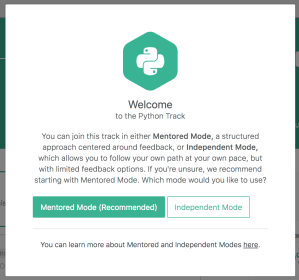
You’ll see a dialog that asks if you want to use Mentored Mode or Independent Mode. Select Mentored Mode if you would like to a more structured experience where others provide feedback. Independent Mode is more of a work-at-your-own-pace model.

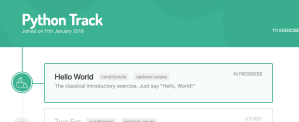
You will then see the page for your Python track.

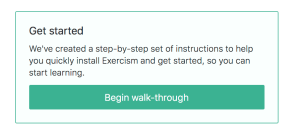
Click on the “Hello World” section. You’re almost ready to install the command line interface (cli) tool. On the next page, look for and click the “Begin walk-through” option.

This will start a short series of steps that will guide you to installing the command line tool, which you will need to submit your answers and demonstrate progress.

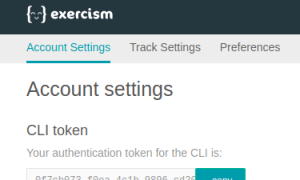
To complete the installation, you will need your Exercism.io API key.

I created a directory called exercism and then another sub-directory under that called python.
You’ll next fetch the first challenge (in the exercism\python directory:
https://asciinema.org/a/YnoOCTiAMgD8VV46VpnfXLUjO.js

If you list the contents of the hello-world directory you’ll see:

hello_world.py hello_world_test.py README.md

It’s tempting to jump right in and start writing the implementation in hello_world.py. Let’s set a good habit right now: run the tests first!

The README.md contains interesting information about how to run the tests. Assuming I’m using Python 2.7, then I would run:

https://asciinema.org/a/G0zRSK0dupj2clhI6KLrDF8QJ.js

You just ran the tests (pre-written by the challenge author) but since there is no implementation the tests failed. Our next step is to provide that implementation.

Every time we make an update we should run the tests, as above. We’ll know very quickly if we made progress or introduced a bug (a regression).

Here’s an example implementation you can use in hello_world.py:

def hello(name=''):
    return 'Hello, World!'

Let’s rerun the tests and see how we did:

https://asciinema.org/a/vRL7b08PIf8p3TxiQmu9YNnR6.js

And that’s that. Let’s push our solution back to Exercism.io:

https://asciinema.org/a/HRUzbSfRjT8XtBe8URqOKcs7i.js

Your python solution for hello-world has been submitted.

Programmers generally spend far more time reading code than writing it.
To benefit the most from this exercise, find 3 or more submissions that you can
learn something from, have questions about, or have suggestions for.
Post your thoughts and questions in the comments, and start a discussion.
Consider revising your solution to incorporate what you learn.

Yours and others’ solutions to this problem:
http://exercism.io/tracks/python/exercises/hello-world
I bet you’ll be ready to devour the next one. Good luck!

If you want a more detailed example of writing tests, check out Keep Calm and Add Unit Tests with Python.