
Building in Public: Deploy a PHP application with Kamal, part 2

“Those fools at Radio Shack called me mad!”

This is the second part of a series about deploying a non-Rails application with Kamal 2. Read the first article here.

First, Some Housecleaning

Kamal places the generated deployment configuration file into config/deploy.yml. For our project this is a minor problem.

The sherldoc project contains the application code itself in the root of the respository and includes it’s own config/ directory. This directory is used for the PHP application configuration.

Adding the Kamal deployment configuration here muddies the water – mixing our application and deployment configuration. I move the file out of the config/ directory to the root of the project.

Since Kamal looks to the config/deploy.yml location by default, I now specify the location of the config file for every command. For example:

kamal deploy -c ./deploy.yml

Towards a Minimally Functional, Deployed Web App

I really want to see the sherldoc application deployed and reachable by HTTP by the public IP address of our VM. I can observe the state of the web application image both locally and during deployments.

Since the sherldoc application isn’t configured and prepared by the deployment process yet the application will not respond to any HTTP requests. That means that kamal-proxy will also not detect the app as healthy and will not forward requests to the running container.

The logs for the container show the state of the web application during the container execution:

jdjeffers@snappy-13g:~/kamal/sherldoc$ curl localhost:80
<br />
<b>Warning</b>:  require(/app/public/../vendor/autoload.php): Failed to open stream: No such file or directory in <b>/app/public/index.php</b> on line <b>13</b><br />
<br />
<b>Fatal error</b>:  Uncaught Error: Failed opening required '/app/public/../vendor/autoload.php' (include_path='.:') in /app/public/index.php:13
Stack trace:
#0 {main}
  thrown in <b>/app/public/index.php</b> on line <b>13</b><br />

Warning: require(/app/public/../vendor/autoload.php): Failed to open stream: No such file or directory in /app/public/index.php on line 13

Fatal error: Uncaught Error: Failed opening required '/app/public/../vendor/autoload.php' (include_path='.:') in /app/public/index.php:13 Stack trace: #0 {main} thrown in /app/public/index.php on line 13

I think it’s clear there are more steps we need to take to get the web application ready for action.

The scripts/ directory contains sets of commands that indicate what preparation the web application needs before it can serve requests. When using the docker compose as a deployment tool, these scripts would be used to perform the preparation steps.

scripts/
├── dockerbuild
├── dockerdown
├── dockerfirst
├── dockerstart
├── dockerstop
├── dockerup
├── shell
└── storagesetup.sh

Peeking into scripts/dockerfirst we can see commands to issue via docker compose on the app container. Specifically, I need to install PHP packages with composer, then run migrations and cache generation with the PHP artisan utility. Finally the frontend JavaScript runtime should be started with npm.

cp -n .env.example .env;
./scripts/dockerbuild;
docker compose -f docker-compose.yml up -d;
./scripts/storagesetup.sh;
time docker compose exec app composer install;
time docker compose exec supervisor composer install;
time docker compose exec app php artisan migrate:fresh --seed --force;
#time docker compose exec app php artisan route:cache;
#time docker compose exec app php artisan config:cache;
docker compose exec app npm install;
docker compose exec app npm run dev;

Modifying the PHP web application Dockerfile

To keep things simple, I modify the PHP dockerfile to run the preparation steps into both RUN and CMD directives. I can use RUN for actions that can occur before the container is in a run state like composer package installation and storage directory creation. The CMD as steps to run once the container is running in the deploy environment, like database migrations.

WORKDIR /app
RUN mkdir -p storage storage/framework storage/framework/cache storage/framework/sessions storage/framework/testing storage/framework/views storage/logs;
RUN composer install;
...
CMD php artisan migrate --force; \
    php artisan route:cache; \
    php artisan config:cache; \
    npm install; \
    { npm run dev & }

Next, I can the next deployment attempt with kamal deploy -c ./deploy.yml. The results:

#20 1.649   Database file at path [/app/database/database.sqlite] does not exist. Ensure this is an absolute path to the database. (Connection: sqlite, SQL: select name from sqlite_master where type = 'table' and name not like 'sqlite_%' order by name)
#20 1.649 
#20 1.649   at vendor/laravel/framework/src/Illuminate/Database/Connection.php:813
#20 1.654     809▕                     $this->getName(), $query, $this->prepareBindings($bindings), $e
#20 1.654     810▕                 );
#20 1.654     811▕             }
#20 1.654     812▕ 
#20 1.654   ➜ 813▕             throw new QueryException(
#20 1.654     814▕                 $this->getName(), $query, $this->prepareBindings($bindings), $e
#20 1.654     815▕             );
#20 1.654     816▕         }
#20 1.654     817▕     }
#20 1.654 
#20 1.654       +30 vendor frames 
#20 1.654 
#20 1.654   31  artisan:13
#20 1.654       Illuminate\Foundation\Application::handleCommand(Object(Symfony\Component\Console\Input\ArgvInput))
...
--------------------
  38 |     RUN mkdir -p storage storage/framework storage/framework/cache storage/framework/sessions storage/framework/testing storage/framework/views storage/logs;
  39 |     RUN composer install;
  40 | >>> RUN php artisan migrate:fresh --seed --force;
  41 |     RUN npm install;
  42 |     RUN npm run dev;
--------------------
ERROR: failed to solve: process "/bin/sh -c php artisan migrate:fresh --seed --force;" did not complete successfully: exit code: 1

Adding a Postgres Database

Based on the logs showing the last deployment failure, I know that the next step would be add a database to our deployment process. The included .env.example indicates that the preferred database should be Postgres:

#DB_CONNECTION=sqlite
DB_CONNECTION=pgsql
DB_HOST=pgsql
DB_PORT=5432
DB_DATABASE=sherldoc
DB_USERNAME=sherldoc
DB_PASSWORD=sherldoc

Kamal makes it easy to prepare a database with the accessories declarations. The result looks like this in the deploy.yml:

accessories:
  postgres:
      host: 159.203.76.193
      image: pgvector/pgvector:pg16
      port: 5432
      env:
        POSTGRES_PASSWORD: sherldoc
        POSTGRES_USER: sherldoc
        POSTGRES_DB: sherldoc
      directories:
        - ./docker/pgdata161:/var/lib/postgresql/data

I selected the pgvector image because it’s based on the postgres16 container builds, but already included the vector extensions required by sherldoc.

Testing the HTTP requests to running container show me that there is another problem. The original web serving infrastructure uses nginx and php-fpm, but currently there is no way to serve the PHP files.

No web service for you!

Alternatives to Nginx/PHP-FPM

At this point I have to decide to continue with nginx somewhere in our deployment configuration. Does it belong in the web app image, or does it live as an accessory? It’s not clear to me how kamal-proxy would handle the gapless deployments in this orientation. It may also not make as much sense to use nginx as an addition the web app image. I can’t see what would be gained with that approach.

I found a standalone PHP web server called frankenphp. There is a container image for this server that I can base the sherldoc we app on. I found the resulting image bloat for sherldoc to be more than I’d like (nearly twice the size of the php-fpm base image).

Some containers are just too fat.

I stick with the php-fpm image, but since we are overriding the entrypoint command we still have to start the frankenphp server as well.

I amend the sherldoc Dockerfile to install frankphp and then start the webserver:

RUN curl https://frankenphp.dev/install.sh | sh \
    && mv frankenphp /usr/local/bin/
...
EXPOSE 80
CMD php artisan migrate --force; \
    php artisan route:cache; \
    php artisan config:cache; \
    npm install; \
    { npm run dev & }; \
    cd /app/public; \
    frankenphp php-server

There is another adjustment I make to the proxy configuration health check. I change the health check path to reflect an expected path, /main/login/:

proxy:
  #ssl: true
  host: 159.203.76.193
  # kamal-proxy connects to your container over port 80, use `app_port` to specify a different port.
  healthcheck:
    interval: 3
    path: /main/login
    timeout: 3

Another deployment attempt finally shows a stable image:

  ...
  INFO Container is healthy!
  INFO [fdcb4fa8] Running docker tag registry.digitalocean.com/team-james-demo/sherldoc:dd83294d6a178fa10cb8797b1584f7e14b04f280_uncommitted_ef152c1c348ee1bc registry.digitalocean.com/team-james-demo/sherldoc:latest on 159.203.76.193
  INFO [fdcb4fa8] Finished in 0.690 seconds with exit status 0 (successful).
Prune old containers and images...
  INFO [84bd3457] Running docker ps -q -a --filter label=service=sherldoc --filter status=created --filter status=exited --filter status=dead | tail -n +6 | while read container_id; do docker rm $container_id; done on 159.203.76.193
  INFO [84bd3457] Finished in 0.453 seconds with exit status 0 (successful).
  INFO [109e763d] Running docker image prune --force --filter label=service=sherldoc on 159.203.76.193
  INFO [109e763d] Finished in 0.476 seconds with exit status 0 (successful).
  INFO [3e2925c5] Running docker image ls --filter label=service=sherldoc --format '{{.ID}} {{.Repository}}:{{.Tag}}' | grep -v -w "$(docker container ls -a --format '{{.Image}}\|' --filter label=service=sherldoc | tr -d '\n')registry.digitalocean.com/team-james-demo/sherldoc:latest\|registry.digitalocean.com/team-james-demo/sherldoc:<none>" | while read image tag; do docker rmi $tag; done on 159.203.76.193
  INFO [3e2925c5] Finished in 0.650 seconds with exit status 0 (successful).
Releasing the deploy lock...
  Finished all in 299.5 seconds

I can finally reach the web application through the VM’s public IP address, as kamal-proxy is forwarding the requests to the sherldoc web application container

Your Reward for Your Hard Work is Yet More Hard Work

Sometimes your purpose in life is just to serve as an example to others.

It occurs to me that while there is this momentary victory I still have a ways to go until sherldoc is fully functional. For example, I still need to stand up the application queue workers, the Apache Tika service, and a Redis queue.

The original sherldoc deployment uses Docker volumes to share a deployed set of files into each concerned container (as /app). Since Kamal expects a different paradigm on container orchestration, this approach is not ideal.

Instead of sharing the application files among different containers, each provisioned for a distinct concern), I adopt the Kamal expectation that the same web application image is deployed, but with distinct “roles”. The differentiating factor is the configuration for each of the non-“web” roles.

In this case, for example, I want to provide a specific entrypoint command for the web app vs a job queue worker container.

I separate the common web application steps into a bash shell script that is always invoked (docker/app/php/prepare_app.sh). I restrict the script commands to only steps that are common among the web app role and any other role using the same image.

The web app role now includes a specific “cmd” configuration:

servers:
  web:
    hosts:
      - 159.203.76.193
    cmd: bash -c "/app/prepare_app.sh && cd /app/public; frankenphp php-server"

I check the deployment again:

...
Prune old containers and images...
  INFO [5eaef66c] Running docker ps -q -a --filter label=service=sherldoc --filter status=created --filter status=exited --filter status=dead | tail -n +6 | while read container_id; do docker rm $container_id; done on 159.203.76.193
  INFO [5eaef66c] Finished in 2.491 seconds with exit status 0 (successful).
  INFO [044dc517] Running docker image prune --force --filter label=service=sherldoc on 159.203.76.193
  INFO [044dc517] Finished in 1.208 seconds with exit status 0 (successful).
  INFO [74bda6c6] Running docker image ls --filter label=service=sherldoc --format '{{.ID}} {{.Repository}}:{{.Tag}}' | grep -v -w "$(docker container ls -a --format '{{.Image}}\|' --filter label=service=sherldoc | tr -d '\n')registry.digitalocean.com/team-james-demo/sherldoc-web:latest\|registry.digitalocean.com/team-james-demo/sherldoc-web:<none>" | while read image tag; do docker rmi $tag; done on 159.203.76.193
  INFO [74bda6c6] Finished in 3.217 seconds with exit status 0 (successful).
Releasing the deploy lock...
  Finished all in 50.6 seconds

It’s looking good! Again, I check the web service an HTTP request through the public IP:

curl -v -s http://159.203.76.193/main/login 1> /dev/null
*   Trying 159.203.76.193:80...
* Connected to 159.203.76.193 (159.203.76.193) port 80 (#0)
> GET /main/login HTTP/1.1
> Host: 159.203.76.193
> User-Agent: curl/7.81.0
> Accept: */*
> 
* Mark bundle as not supporting multiuse
< HTTP/1.1 200 OK
...
* Connection #0 to host 159.203.76.193 left intact

Next, I plan to add the additional role for the job queue worker and other accessories.

Follow along at my fork of sherldoc on github.
Keep Calm and Add Unit Tests with Python

“I just can’t figure out why my program doesn’t work. Can someone help me?”

“I’ve been working on this for hours and I’m still stuck.”

“I had it working a few minutes ago, but I did something and now nothing works!”

Making Your Own Private Hell

You probably mastered a few basics, like writing a simple Python program. You’ve gained confidence that you can write a loop or a function. You can see how a basic Python program works. You are hungry for more.

Maybe you are plowing through a book or a course on Python. Maybe it’s a class you’re taking. Or maybe you are getting ambitious and you decide to create something new, like a Reddit bot.

You are busy adding working code. You test every now and then by running the program. If there’s a problem, you edit the file and run the program again. Everything seems so easy.

Then you realize something is wrong. That part you tested 10 minutes ago, by hand, but didn’t test until just now… it’s not working. Are you just imagining this? No, you try it again. It’s still wrong. It’s still broken. If you run the program 10 more times, magic will happen and it will work. Right?

Again and again you try to fix the problem, but it only ends up somehow worse than before. Minutes turn into hours. Time is slipping by. You are so frustrated you are ready to hurl your computer out the nearest window. Why did you think you could do this programming thing anyway? It’s impossible! Only computer geniuses could keep all this straight. And this is just a basic program!

“Is it too late to get my money back?”, you think.

The Way Out

What if you could avoid all of this misery? Imagine if you could use Python itself to check if your new program was correct every time you made a change? As soon as you made any change, you could check to see if you made a mistake. You could find out right away if the change you just made made things better or worse?

Think about this: if you can check your program after every change, and you keep the changes small, then you only have to undo a small change to get back on track. This would keep you from wasting your time with big changes that will derail you for hours or days.

You should write automated software tests. When I say “automated” I mean tests you don’t have to keep in your meat brain. You just have to remember to run a single command to run every test instead of remembering to run a program multiple times to check every situation.

There’s another important benefit to these tests – it’s a professional habit. Writing tests differentiates the pros from the slobs. Writing tests for your program is like basic sanitation for doctors. Would you trust a doctor to perform surgery without washing their hands first?

Writing Tests – A Detailed Example

In this example, we already have a Python source file called rational.py.

For now, I just want you to get comfortable with the tools of creating and then running your first real tests. That’s what you’ll learn today.

You’ll get the most out of this example by following along and running the examples. The original program is located here. If you are familiar with git, you can clone the repository. Otherwise you can just copy the source code locally.

First let’s look at files in the original project.

The rational.py is the implementation and rationaltest.py is a test driver.

The test driver in this project is a “poor man’s” test framework. It’s functional, sure. If you run the file you’ll get a result like this:

https://asciinema.org/a/170593.js

We’re going to use the rationaltest.py to make our first tests easy to write. You only have to concern yourself with how to construct the tests using a testing framework. We’ll use pytest for this example.

Let’s run pytest and see what happens:

https://asciinema.org/a/170559.js

Just as we expected, no test were run. Let’s add the file that will hold the tests. Let’s call the test file test_rational.py. The name is important.

As mentioned in the pytest documentation, the framework uses standard test discovery to find and run tests.

We’re concerned with 2 basic rules in this example:

  1. files named test_*.py in the directory
  2. files named *_test.py in the directory

Let’s run the pytest command again with our new (empty) test file, test_rational.py.

https://asciinema.org/a/170580.js

Again, no tests were detected, so no tests ran. Let’s add a test.

If we use the existing smoke test file as a guide, you’ll see a series of tests lists. As a general rule, it’s easier to test the behavior of code that has the fewest dependencies. What do I mean by this?

Looking at the Rational class, you might be tempted to start testing there. However, you’ll see that the implementation of that class depends on another function, gcd.

If a test of the Rational class fails we can’t be sure that the class is responsible for the error. At least not yet. We should drill further into the dependency of the class and start with the “bricks” the foundation of the Rational class is built upon.

This is why gcd is a good candidate. The comments in the function tell us that it’s based on Euclid’s algorithm for finding the greatest common denominator (gcd) of 2 integers.

Since we know the general expectations of how gcd works, we can start with a simple test case. On paper, Euclid’s algorithm predicts the gcd(3,0) will be 3.

Our test file now looks like this:

[cc lang=”python” escaped=”true” width=”370″ theme=”blackboard”]
import rational

def test_gcd_a_0_is_0():
assert True
[/cc]

If we run pytest again:

https://asciinema.org/a/170586.js

So far, so good. Let’s replace the assertion with a real test, but with a clearly wrong answer.

[cc lang=”python” escaped=”true” width=”370″ theme=”blackboard”]
import rational

def test_gcd_a_0_is_0():
assert rational.gcd(3,0) == 100000
[/cc]

You might wonder why would add a test that is going to fail. We want to verify that the test we are creating is going to run and that if there is an error in the test we’ll catch it.

Consider how blind we would be if we created a faulty test and the test framework ignored the failing test. How much time would we waste building on this false assumption? It’s better to check now, at the start, and catch stupid mistakes before they cost us an arm and a leg.

https://asciinema.org/a/170588.js

Isn’t that great? pytest tells you exactly where it fails and why. Let’s repair the test with the correct expected value.

[cc lang=”python” escaped=”true” width=”370″ theme=”blackboard”]
import rational

def test_gcd_a_0_is_0():
assert rational.gcd(3,0) == 3
[/cc]

Then verify that with pytest:

https://asciinema.org/a/170590.js

That’s it, you did it! You created a test and know you know how to build more. Instead of trying to remember each test case and run them manually, you only have to run one command to run all the tests.

That feeling you have right now? That’s the feeling of victory over chaos.

How to Level Up in Python

How do I, someone who just dabbles in Python and uses it for daily data handling tasks, become an expert in Python?

Anytime you learn a new skill, such as learning Python, you might feel anxiety about wether or not you are “ready”. You’re always looking around at this course or that, wondering “Is this any good?” or “Will I learn the right things?”

You want some way to hone your skills and “level up”. In school you might have a math class where your teacher would throw problem sets at you. You had lots of opportunities to work problem after problem, making corrections and getting (hopefully!) better. Now you know the basics of Python. You can even write a few Python programs by yourself. But, where to go from here? How can you take things to the next level?

An Excellent Way to Improve Your Python Skills

If you want to develop real skill in Python, you need to write as many Python programs as you can. You also need to get feedback about how effective your programs are. There’s no sense in writing defective garbage if you want to get better. You need some way to write lots of programs, get feedback, and be pushed to improve.

Luckily, there’s a superb place for this call Exercism.io.

Exercism.io is a web site that “provides countless small wins”. This is brilliant!

When you are working hard to improve, each win is a bit more momentum to push forward. Believe me, as you progress, you will need to be pushed a little harder to get better each time.

Exercism.io gives you a a lot of Python challenges – over 100 – for you to conquer. Each challenge comes with the tests already written. So in addition to learning how to solve problems in Python, you get to see how unit tests are built along the way.  If you want to become an expert Python programmer then you must learn to write tests.

A Walkthrough of the First Challenge

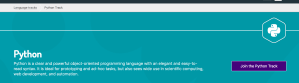
Go ahead and sign up using your Github account. You’ll be asked to accept terms and conditions. Once you’ve done that, you should see a list of tracks. Find the Python track and click it.

Click the “Join the Python track” on the next screen.

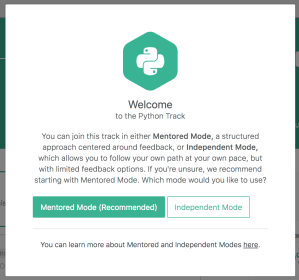
You’ll see a dialog that asks if you want to use Mentored Mode or Independent Mode. Select Mentored Mode if you would like to a more structured experience where others provide feedback. Independent Mode is more of a work-at-your-own-pace model.

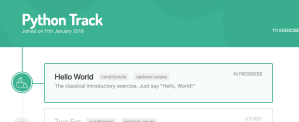
You will then see the page for your Python track.

Click on the “Hello World” section. You’re almost ready to install the command line interface (cli) tool. On the next page, look for and click the “Begin walk-through” option.

This will start a short series of steps that will guide you to installing the command line tool, which you will need to submit your answers and demonstrate progress.

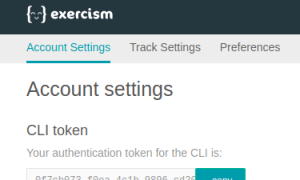
To complete the installation, you will need your Exercism.io API key.

I created a directory called exercism and then another sub-directory under that called python.
You’ll next fetch the first challenge (in the exercism\python directory:
https://asciinema.org/a/YnoOCTiAMgD8VV46VpnfXLUjO.js

If you list the contents of the hello-world directory you’ll see:

hello_world.py hello_world_test.py README.md

It’s tempting to jump right in and start writing the implementation in hello_world.py. Let’s set a good habit right now: run the tests first!

The README.md contains interesting information about how to run the tests. Assuming I’m using Python 2.7, then I would run:

https://asciinema.org/a/G0zRSK0dupj2clhI6KLrDF8QJ.js

You just ran the tests (pre-written by the challenge author) but since there is no implementation the tests failed. Our next step is to provide that implementation.

Every time we make an update we should run the tests, as above. We’ll know very quickly if we made progress or introduced a bug (a regression).

Here’s an example implementation you can use in hello_world.py:

def hello(name=''):
    return 'Hello, World!'

Let’s rerun the tests and see how we did:

https://asciinema.org/a/vRL7b08PIf8p3TxiQmu9YNnR6.js

And that’s that. Let’s push our solution back to Exercism.io:

https://asciinema.org/a/HRUzbSfRjT8XtBe8URqOKcs7i.js

Your python solution for hello-world has been submitted.

Programmers generally spend far more time reading code than writing it.
To benefit the most from this exercise, find 3 or more submissions that you can
learn something from, have questions about, or have suggestions for.
Post your thoughts and questions in the comments, and start a discussion.
Consider revising your solution to incorporate what you learn.

Yours and others’ solutions to this problem:
http://exercism.io/tracks/python/exercises/hello-world
I bet you’ll be ready to devour the next one. Good luck!

If you want a more detailed example of writing tests, check out Keep Calm and Add Unit Tests with Python.

Arrrgh! Why Doesn’t My Python Program Work?

I’m having trouble with a tutorial… it doesn’t work!

I can’t figure out why my code isn’t working!

You’ve been banding your head against your desk for hours. The examples seemed so clear, but when you wrote your program it all fell apart. You’ve looked over the code, again and again. Everything looksfine. IT. JUST. DOESN’T. WORK.

You want your program to work correctly. You want to move past this annoying bug. You want to move on and keep learning. What can you do?

You can do a few things when you are stuck. You can write tests while while you write the program. You can talk to someone (or yourself!) else and get their help.

The Solution!

Use a debugger. A debugger allows you to interactively run a program and check the process state. Use a debugger to quickly explore how a program actually works. A debugger helps you understand Python better than passively reading example programs.

A Detailed Walkthrough

In this case, we will use the built-in Python debugger. The Python program we’re running is from a Reddit post, and the code is here.

First, in your console, start your program (we’re using Python 3.6 at the moment):

python -m pdb guesser.py

This starts the Python interpreter and loads the pdb (the Python debugger) module.

You’ll see the pdb prompt:

-> def main():
(Pdb)

This shows you that the program execution starts at the main function definition.

The debugger accepts a number of different commands. The first one we’ll use is the w command – which stands for where, and it will show you the current “line” in the program the debugger is about to execute. It also shows you the current “stack”, or the history of functions the interpreter executed in the program.

(Pdb) w
c:\program files\python36\lib\bdb.py(431)run()
-> exec(cmd, globals, locals)
(1)()
> c:\users\jjeffers\pydebug\guesser.py(1)()
-> def main():
(Pdb)

The bottom most function is the current executing “frame” of the program.

To get to the next line of the program (and have Python execute the current line), press n (or next).

> if __name__ == "__main__":
(Pdb)

Notice how the function definition was “skipped”, and the debugger jumped to the next executable line.

Enter n again.

-> main()
(Pdb)

Now we’re entered the if statement, because the test for __name__ == "__main__" was true. The debugger is showing you that the next line to execute is the call to the “main” function.

Enter s (or step) here. The step command works like next, but instructs the debugger to “step into” any function calls.

-> def main():
(Pdb)

Don’t worry, we’re not caught in a loop here. Enter n to move to the next line inside the main function.

-> print("Guess a number between 1 and 100.")
(Pdb)

Keep using n until you reach the line:

-< while not found:
(Pdb)

You will see the lines for the variable definitions for found and randomNumber. You can use the debugger to query the interpreter for the current value of a variable.

(Pdb) found
False

Let’s move on until you get to the prompt:

-> userGuess = input("Your Guess: ")
(Pdb)

Enter n again, then and enter 3 when prompted.

The very next line is

-> if userGuess == randomNumber:
(Pdb)

Here’s where the debugger really gets useful. Go ahead and query the test expression:

(Pdb) userGuess == randomNumber
False

This shows you where the issue is, but it might still not be clear why that test fails until we look at the operands userGuess and randomNumber.

(Pdb) userGuess
'3'
(Pdb) randomNumber
3

And that’s it – the 2 variables hold different values – one is a string and the other is an integer.

Using the debugger is a good skill to learn. It helps you track down issues in a running program. If you want to add more safety, you need to write tests, too.

If you want a detailed example of writing a test, check out Keep Calm and Add Unit Tests with Python.

First Steps: Write Your First Python Program in 30 Seconds

If you want to become a test automation engineers but are still thinking about learning how to program you need to get moving.

You need to take the first step. You need to push a little rock that will start an avalanche of momentum.

You are going to write your first program right now.

Go to Python.org and follow along:

This is an embedded Python interpreter. It’s probably not a tool you would use for anything beyond simple experimentation. You have to admit, it’s a very quick way to try your hand at some simple Python programs.

Introduction to Programming Course Comparison

There are many courses available to help you learn how to program.

Here is a list of several available online, in no particular order. None of these courses assume you have previous programming experience.

DISCLAIMER: I receive no compensation for these summaries.

Automate the Boring Stuff (Udemy)

Cost: $10 for the Udemy video course if you go through the link at https://automatetheboringstuff.com/, otherwise $50.

Time to Complete: 9.5 hours

Summary: Comprehensive review of Python through video lectures. The author says the video course covers most of the same ground as the book, but the book’s probably a great alternative if you prefer that medium.

Free Programming Basics Course (Ministry of Test)

Cost: Free

Time to complete: a few hours.

Summary: No frills survey of programming concepts and tools. Course material is delivered by web content. There is no feedback or interaction with an instructor.

Programming for Everybody (Getting Started with Python) (Coursera)

Cost: Free 7-day trial, $49/mo after trial ends.

Time to complete: 6 weeks, 2-4 hours/week.

Summary: Long distance entry level college course. Python is the language used to illustrate concepts with videos, web content, and proprietary courseware. Assignments are graded as pass/fail by a auto-grader process.

Programming Foundations with Python (Udacity)

Cost: Free

Time to complete: 6 weeks.

Summary: Self-paced low-level programming course with video instruction, proprietary courseware, discussion forums. Also features quizes and forum interaction for feedback. “Nanodegree” offered for completion of a curriculum group. Favors lecture format with worked examples by the instructor over interactive application of Python by the student.

Master Fundamentals of Programming for Beginners (Udemy)

Cost: $194.00

Time to complete: 13 hours.

Summary: Comprehensive programming course that introduces C and Python. Relies on video lectures and a “Q&A” feature to review and search questions submitted by other students. Little opportunity to write programs and get feedback.

Try Python (Code School)

Cost: $29/mo, but some courses free

Time to complete: 2-3 hours

Summary: Self-paced entry level programming course focused on Python basics. Features videos, slide downloads, proprietary courseware, and an interactive Python emulator.

Learn Python (Code Academy)

Cost: Free, optional upgrades ($19/mo and $199) for access to technical support, more lessons, and additional material.

Time to complete: 10 hours

Summary: Self-paced entry level programming course focused on Python basics. Features web content, proprietary courseware, and an interactive Python emulator.

Ruby in Twenty Minutes (ruby-lang.org)

Cost: Free

Time to complete: 20 minutes

Summary: Very quick “up and running” tutorial. Assumes you have already installed Ruby and are comfortable with the command line. Nothing fancy here – just enough to wet the appetite for the language.

What is Programming? (Khan Academy)

Cost: Free

Time to complete: less than an hour

Summary: Similar to other Kahn Academy lessons, shows you the theory behind programs, and then begins to dig into some Javascript to manipulate images in an interactive emulator. A non-threatening introduction before getting into the deep end of the pool.

Introduction to Computer Science and Programming using Python (Edx/MIT)

Cost: Free. Optional certificate for $49.00, accredited tuition rate of $300. Textbook (available from amazon.com) is not included in the cost.

Time to complete: 9 weeks, 15 hours/week.

Summary: Self-paced college level course featuring introductory computer science concepts. Designed for students not majoring in CS or EE degree programs. Features lectures, interactive assignments, problem sets, and quizes. A certificate of completion is available (see Cost section). Credit hours available for qualified students.

Reactions to “What’s the best programming language to learn for test automation?”

Previously I wrote what I thought about the best programming language to learn for test automation.

Spoilers: I picked Python.

I posted links to that article on a test automation discussion site. People also posted links to the article on social media.

A couple of reactions on Twitter:

https://platform.twitter.com/widgets.js

https://platform.twitter.com/widgets.js

Mark and Brian raise valid counterpoints. Of course, the real answer is always “It depends!”

An expert knows exactly the right tool to select because they have experience to inform that choice. A beginner has almost no experience and their choices are arbitrary.

Sometimes a beginner becomes so overwhelmed by the number of choices, they become paralyzed with indecision. For a beginner, it’s often far more important to get clear direction and get some small victories under their belt. It’s about gaining momentum.

For a beginner, any choice is perfectly fine as long it gets them started. Once a beginner learns one programming language, picking up the next one will be easier.

It’s kind of like the old saying about exercise: “Which exercise is the best? The one you will do.”


Learn To Program Newsletter

I’ll send you the latest posts and useful information to help you learn to program as a test automation engineer.
Email Address

What’s the best programming language to learn for test automation?

People ask this question in other ways, too.

How do you choose a programming language for software testing automation?

Does it matter that I am writing automation code in a different language to that used in development?

How would you rank [insert language here] and what is the most popular language used in building automated frameworks?

In the “real world”, the tool you use to build a test automation tool depends on a lot of things – who are you working with, how much experience do you have with the system under test, is the system a web application or an API, etc.

If you are just starting out then the first thing you must do is to learn how to program.

When you are just starting to learn about programming there are many choices. You are not sure which path is the right path. Everything looks like it is important. You are not sure which way to go or what to do.

You need a clear answer. You need an answer that pushes aside all of the doubt and stress about picking the right thing.

The short answer is: Python.

Python has a lot of advantages for someone learning how to program.

You can write short programs and run them to get quick feedback with Python. Fast feedback means you don’t spend time waiting to see if what you did was right or wrong. You learn and correct mistakes quickly.

Python’s syntax (the rules of how a program is structured) is similar to other programming languages such as Java, and C#. Once you learn the patterns of how a Python program is built, you’ll learn your second language much faster.

Python also enjoys a lot of help for the beginning programmer.

Here are some of the books I recommend:

There are many more out there, but this list should be a good starting point.

Let me know if this was helpful.