Building in Public: Deploy a PHP application with Kamal 2, part 4

This is the fourth and final part of a series about deploying a non-Rails application with Kamal 2. Read the previous article here. Follow this journey at https://github.com/jjeffers/sherldoc.

I’m almost out of the maze. I can hear road noise from here.

Installing PDFBOX

I checked the sherldoc README.md for steps I may have missed. There is comment about making sure that PDFBOX is installed. I think I assumed this was part of the dockerfile RUN commands, but it is not.

There is a release archive for the Apache PDFBOX project which has links to the version I need. I add the following kamal pre-build hook:

RESOURCES_DIR=resources
PDFBOX_JARFILE=pdfbox-3.0.2.jar

echo "Checking for $RESOURCES_DIR/$PDFBOX_JARFILE first..."
if ! [[ -f "$RESOURCES_DIR/$PDFBOX_JARFILE" ]]; then
    wget --directory-prefix=resources https://archive.apache.org/dist/pdfbox/3.0.2/$PDFBOX_JARFILE
fi

With that in place, I initiate another deployment. I’ll check the application state next.

Enabling SSL and Testing

The sherldoc README.md offers a suggested command line test:

curl -X POST -F file=@resources/sample1.pdf -F 'checks={"ensure_missing":
["perpetuity","prohibited", "free software"],
"ensure_existing":
["GNU", "license", "idaho"]}
' https://localhost:8088/api/scan

I am also eager to enable SSL for the application endpoint. I would be convenient to refer to a public hostname (sherldoc.planzerollc.com) rather than an IP address.

I already have Cloudflare SSL enabled as suggested in the Kamal guide. I add a new A record for the subdomain. While I’m waiting for the DNS updates to propagate, I amend the kamal-proxy settings to enable SSL connections:

...
proxy:
  ssl: true
  host: sherldoc.planzerollc.com
  ...

With SSL enabled let’s test sherldoc using that subdomain:

curl -X POST -F file=@resources/sample1.pdf -F 'checks={"ensure_missing":
["perpetuity","prohibited", "free software"],
"ensure_existing":
["GNU", "license", "idaho"]}
' https://sherldoc.planzerollc.com/api/scan

The results are less than overwhelming:

{"output":{"found":{"pages":[],"words":[]},"missing":["GNU","license","idaho"]}}

The application experienced a rapid unscheduled process degeneration.

Debugging the deployment

Is this result right? I don’t think so. Opening the sample.pdf I can see the words “GNU” appear at least once. So, how I determine where the application is failing?

I could jump into debugging the application locally. I realize that I am not a PHP expert. I do think I see a way to add log messages, which might be a quick way to triangulate the issue.

I need to examine logs on the application server, but checking the container logs can be tedious. kamal provides a shorthand, kamal app logs which produces:

...
2024-10-26T19:58:11.771616634Z {"level":"info","ts":1729972691.7715068,"msg":"FrankenPHP started 🐘","php_version":"8.3.11","num_threads":1}
2024-10-26T19:58:11.773111333Z {"level":"info","ts":1729972691.773031,"logger":"http.log","msg":"server running","name":"php","protocols":["h1","h2","h3"]}
2024-10-26T19:58:11.773771455Z {"level":"info","ts":1729972691.7731733,"msg":"Caddy serving PHP app on :80"}
2024-10-26T19:58:11.775121346Z {"level":"info","ts":1729972691.7750409,"logger":"tls.cache.maintenance","msg":"started background certificate maintenance","cache":"0xc00068c280"}
2024-10-26T19:58:11.782998428Z {"level":"info","ts":1729972691.7828696,"logger":"tls","msg":"cleaning storage unit","storage":"FileStorage:/root/.local/share/caddy"}
2024-10-26T19:58:11.783513553Z {"level":"info","ts":1729972691.7834342,"logger":"tls","msg":"finished cleaning storage units"}
2024-10-26T19:58:12.287121200Z 
2024-10-26T19:58:12.287172904Z   VITE v5.4.10  ready in 538 ms
2024-10-26T19:58:12.287176658Z 
2024-10-26T19:58:12.287876431Z   ➜  Local:   http://localhost:5173/
2024-10-26T19:58:12.290738129Z   ➜  Network: http://172.18.0.8:5173/
2024-10-26T19:58:12.400477692Z 
2024-10-26T19:58:12.400520511Z   LARAVEL v11.19.0  plugin v1.0.5
2024-10-26T19:58:12.400817577Z 
2024-10-26T19:58:12.401177066Z   ➜  APP_URL: http://localhost
...

Note this only works for messages sent via STDOUT from the entrypoint process, the frankenphp server.

I would prefer to see the application logs We need to ensure that the Laravel application can forward messages to STDOUT as well. Messages routed to STDOUT will show up frankenphp web server messages.

I modify config\logging.php:

'stack' => [
            'driver' => 'stack',
            'channels' => explode(',', env('LOG_STACK', 'stdout')),
            'ignore_exceptions' => false,
        ],
...
'stdout' => [
     'driver' => 'monolog',
     'handler' => StreamHandler::class,
     'with' => [
           'stream' => 'php://stdout',
     ],
 ],

Next I modify the application to see if the pdf text is captured. I’m not sure where the fault will be so I liberally add debug messages.

public function getTextFromPage($pathToPdf, int $page = 1)
    {
        $java = config('pdfbox.java_path');
        Log::debug("path to pdf:");
        Log::debug($pathToPdf);
        Log::debug("pdfbox java path");
        Log::debug($java);
        $pdfbox = config('pdfbox.pdfbox_jar_path');
        Log::debug("pdfbox jar path is:");
        Log::debug($pdfbox);
        $process = new Process([$java, '-jar', $pdfbox, 'export:text', '-i', $pathToPdf, '-startPage='.$page,'-endPage='.$page, '-console']);
        $process->run();
        $output = $process->getOutput();
        Log::debug("pdbox output was:");
        Log::debug($output);
        $strip = 'The encoding parameter is ignored when writing to the console.';
        return trim(str_replace($strip, '', $output));
    }

Then we redeploy and try to scan a document again.

Same result, but did our messages get logged?

2024-10-26T19:58:41.360636711Z [2024-10-26 19:58:41] local.DEBUG: path to pdf:  
2024-10-26T19:58:41.361082418Z [2024-10-26 19:58:41] local.DEBUG: /app/storage/app/8060-1729972721.3383.pdf  
2024-10-26T19:58:41.361227842Z [2024-10-26 19:58:41] local.DEBUG: pdfbox jar path is:  
2024-10-26T19:58:41.361476450Z [2024-10-26 19:58:41] local.DEBUG: /app/resources/pdfbox-app-3.0.2.jar  
2024-10-26T19:58:41.377582238Z [2024-10-26 19:58:41] local.DEBUG: pdbox output was:  
2024-10-26T19:58:41.377615486Z [2024-10-26 19:58:41] local.DEBUG:   
2024-10-26T19:58:41.377632340Z [2024-10-26 19:58:41] local.DEBUG: page text:  
2024-10-26T19:58:41.377635202Z [2024-10-26 19:58:41] local.DEBUG: array (
2024-10-26T19:58:41.377637318Z ) 

Closing in on the problem
Logs will save the day.

It appears the PDFBOX process isn’t returning any text. Using the shell alias I run the command manually:

root@159:/app# java -jar resources/pdfbox-3.0.2.jar export-text -i resources/sample1.pdf -startPage=1 -endPage=2
no main manifest attribute, in resources/pdfbox-3.0.2.jar

That’s odd! Wait a minute… something’s not right.

I double the README.md and see that the pdfbox jar is not correct! It needs to be pdfbox-app-3.0.2.jar not pdbox-3.0.2.jar.

I amend the prebuild hook:

PDFBOX_JARFILE=pdfbox-app-3.0.2.jar

After I redeploy and retest:

curl -X POST -F file=@resources/sample1.pdf -F 'checks={"ensure_missing":
["perpetuity","prohibited", "free software"],
"ensure_existing":
["GNU", "license", "idaho"]}
' https://sherldoc.planzerollc.com/api/scan
{"output":{"found":{"pages":{"1":["free software"],"6":["perpetuity"],"10":["free software"],"11":["free software"]},"words":{"free software":{"1":4,"10":3,"11":3},"perpetuity":{"6":1}}},"missing":["idaho"]}}

This is the output I was expecting! We did it! I’ll call this one done for now.

I hope you have enjoy my quest to use a Rails oriented deployment tool in an unexpected way. Despite the stumbles and bruises, I deployed a PHP application using Kamal. I learned new things along the way but there’s a lot more to discover.

We did it! The quest is complete!

If you have questions or comments about what you have read so far, please email me at [email protected]. I look forward to hearing from you.

Building in Public: Deploy a PHP Application with Kamal, part 3

This is the third part of a series about deploying a non-Rails application with Kamal 2. Read the previous article here. Follow this journey at https://github.com/jjeffers/sherldoc.

Quitters don’t win and winners don’t quit. Or until they pass out from blood loss.

Deploying a Queue Worker

I need to provision a “version” of sherldoc that will handle workers to process asynchronous jobs for the web application. The original sherldoc docker compose layout used a shared docker volume and the same sherldoc web container to run the queue workers.

In our configuration the containers don’t share a mounted volume at runtime. Instead, each image uses the same container image with similar post-run commands. The final docker entrypoint commands will diverge, with the queue worker starting the artisan worker process instead of the web application server steps.

Our deploy.yml includes the following additional server entry:

...
image: sherldoc-web 
...  
servers:
  web:
    hosts:
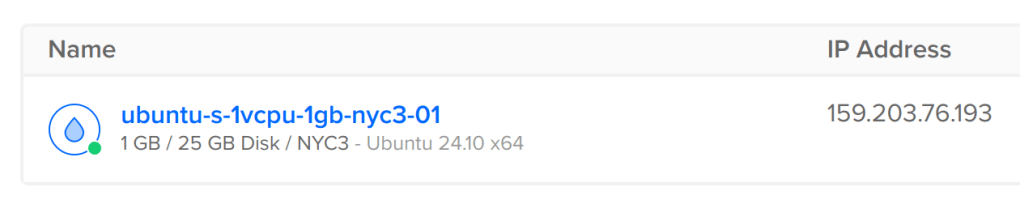
      - 159.203.76.193
    cmd: bash -c "/app/prepare_app.sh && cd /app/public; frankenphp php-server"

  workers:
    hosts:
      - 159.203.76.193
...

Kamal uses every server entry to deploy a container of the image entry, “sherldoc-web”. I can override the “workers” container with a new CMD.

After a another deploy I check kamal app details :

kamal app details -c ./deploy.yml 
  INFO [006857a0] Running docker ps --filter label=service=sherldoc --filter label=role=web on 159.203.76.193
  INFO [006857a0] Finished in 2.108 seconds with exit status 0 (successful).
App Host: 159.203.76.193
CONTAINER ID   IMAGE                                                                                                                          COMMAND                  CREATED              STATUS              PORTS              NAMES
bc7b3029bda6   registry.digitalocean.com/team-james-demo/sherldoc-web:[...]   "docker-php-entrypoi…"   About a minute ago   Up About a minute   80/tcp, 9000/tcp   sherldoc-web-[...]

  INFO [4c339292] Running docker ps --filter label=service=sherldoc --filter label=role=workers on 159.203.76.193
  INFO [4c339292] Finished in 0.229 seconds with exit status 0 (successful).
App Host: 159.203.76.193
CONTAINER ID   IMAGE                                                                                                                          COMMAND                  CREATED              STATUS              PORTS              NAMES
a913b7fcd417   registry.digitalocean.com/team-james-demo/sherldoc-web:[...]   "docker-php-entrypoi…"   About a minute ago   Up About a minute   80/tcp, 9000/tcp   sherldoc-workers-[...]

Both containers are up, but the container with the name “sherldoc-workers” started with the artisan queue:work command.

Why No Supervisor?

“If I can’t see you working, how do I know if you are getting anything done?”

I debated adding the supervisor (the process control utility) indicated in the source project’s docker compose configuration.

I suspect if sherldoc-workers container halted kamal-proxy would then restart it. I am not aware of any restart policy set for the docker containers on the server. Any restart would have to be external to the docker engine.

I tested this theory, attaching to the sherldoc-worker container and killing the main process, artisan queue:work. Within a few moments a new sherldoc-workers container was up and running.

Given this, I decide not to install or run supervisor.

Booting Additional Accessories

Next, I stand up Redis and Apache Tika.

...
accessories:
  ...
  redis:
     host: 159.203.76.193
     image: redis:6
     directories:
      - data.redis:/data

  tika:
    image: apache/tika:2.9.2.1-full
    ports:
      - 9998:9998

With that configuration change I start the redis instance:

kamal accessory boot redis -c ./deploy.yml 
  INFO [2f687e13] Running /usr/bin/env mkdir -p .kamal on 159.203.76.193
  INFO [2f687e13] Finished in 1.466 seconds with exit status 0 (successful).
Acquiring the deploy lock...
  INFO [bdb656a9] Running docker login registry.digitalocean.com/team-james-demo -u [REDACTED] -p [REDACTED] on 159.203.76.193
  INFO [bdb656a9] Finished in 0.936 seconds with exit status 0 (successful).
  INFO [34829155] Running docker network create kamal on 159.203.76.193
  INFO [16f49764] Running /usr/bin/env mkdir -p $PWD/sherldoc-redis/data.redis on 159.203.76.193
  INFO [16f49764] Finished in 0.210 seconds with exit status 0 (successful).
  INFO [bf65cb9c] Running /usr/bin/env mkdir -p .kamal/apps/sherldoc/env/accessories on 159.203.76.193
  INFO [bf65cb9c] Finished in 0.171 seconds with exit status 0 (successful).
  INFO Uploading .kamal/apps/sherldoc/env/accessories/redis.env 100.0%
  INFO [f431adff] Running docker run --name sherldoc-redis --detach --restart unless-stopped --network kamal --log-opt max-size="10m" --env-file .kamal/apps/sherldoc/env/accessories/redis.env --volume $PWD/sherldoc-redis/data.redis:/data --label service="sherldoc-redis" redis:6 on 159.203.76.193
  INFO [f431adff] Finished in 1.865 seconds with exit status 0 (successful).
Releasing the deploy lock...

And finally, I spin up the Tika instance:

kamal accessory boot tika -c ./deploy.yml 
  INFO [32435277] Running /usr/bin/env mkdir -p .kamal on 159.203.76.193
  INFO [32435277] Finished in 1.398 seconds with exit status 0 (successful).
Acquiring the deploy lock...
  INFO [42be2d9b] Running docker login registry.digitalocean.com/team-james-demo -u [REDACTED] -p [REDACTED] on 159.203.76.193
  INFO [42be2d9b] Finished in 0.537 seconds with exit status 0 (successful).
  INFO [e9abb23f] Running docker network create kamal on 159.203.76.193
  INFO [b36fa775] Running /usr/bin/env mkdir -p .kamal/apps/sherldoc/env/accessories on 159.203.76.193
  INFO [b36fa775] Finished in 0.207 seconds with exit status 0 (successful).
  INFO Uploading .kamal/apps/sherldoc/env/accessories/tika.env 100.0%
  INFO [94a1e92e] Running docker run --name sherldoc-tika --detach --restart unless-stopped --network kamal --log-opt max-size="10m" --publish 9998:9998 --env-file .kamal/apps/sherldoc/env/accessories/tika.env --label service="sherldoc-tika" apache/tika:2.9.2.1-full on 159.203.76.193
  INFO [94a1e92e] Finished in 16.586 seconds with exit status 0 (successful).
Releasing the deploy lock...

So far everything looks like it’s working, or at least the parts are operational. I’ll dive into the application itself next and see is working under the hood.

“I have no idea what I’m doing. Please come again.”

Building in Public: Deploy a PHP application with Kamal

The Challenge

After Michael Kimsal released his proof of concept project sherldoc, I was wondering if I could deploy this using Kamal, a deployment tool typically used for Rails web applications. Supposedly Kamal is application and framework agnostic.

Getting this to work is like looking for Bigfoot or that Giant Squid you see in those late night shows on the History Channel. It should be possible!

First, let us look at sherldoc’s description:

Web service endpoint to scan a document for

  • existence of keyword or phrase
  • absence of keyword or phrase

The project provides a Docker Compose configuration for deployment. Several assumptions are built into the current configuration, which I will outline later. The challenge will be to convert these assumptions into Kamal configuration directives and then get a running sherldoc instance.

Why Kamal?

Kamal promises:

Kamal offers zero-downtime deploys, rolling restarts, asset bridging, remote builds, accessory service management, and everything else you need to deploy and manage your web app in production with Docker. Originally built for Rails apps, Kamal will work with any type of web app that can be containerized.

and

Kamal basically is Capistrano for Containers, without the need to carefully prepare servers in advance. 

Capistrano was the old reliable deployment tool for many years in the Rails world. The idea that we can use the same ease of deployment with containers on a naked VM is attractive.

The whole point is to make it easy to put your application on a low-cost VM, either in some hosted environment or perhaps an on-premise machine. Consider this to be a potent weapon in the crusade against BigVMTM.

I am not a PHP expert, so getting this to work will push me outside of my comfort zone. I may fail. I may not find the Giant Squid or Bigfoot. In the worst case, I’ll learn something new.

Analyzing the Docker Compose configuration

I start by examining the original docker-compose.yml file for clues:

services:
     nginx:
          image: nginx:stable-bullseye
...
     app:
          image: sherldoc/web:1.0
...
     redis:
          image: redis:6
...
     tika:
          image: apache/tika:2.9.2.1-full
...
     supervisor:
...
     psql:
          image:postgres:16.1-bullseye
...

We start with the entry “app”, which is the PHP web application. This will be the source of our Kamal application image. Kamal creates this image and then stores it in a registry we specify. Once successfully connected to our provisioned virtual machine, Kamal installs docker and then download the image from the registry.

We can see that the original configuration required a docker supervisor process “supervisor”. Since we will only require a single image, the PHP application, the supervisor is not needed. Therefore, we omit this in our Kamal configuration. [Edit: This is not correct. The supervisor image is actually the sherldoc application “jobs” worker process. We will need to replicate this and as we will see, Kamal anticipates this need.]

The “nginx” entry hints that the PHP web application depends on the Nginx application proxy. We can peek inside the associated Nginx dockerfile (docker/app/nginx/conf.d/app.conf) and see that the application directives. Kamal provides an application proxy (“kamal-proxy”, https://kamal-deploy.org/docs/configuration/proxy/) which, in theory, provides the same capabilities.

The “redis”, “tika”, and “postgres” entries indicate additional services that the web application relies on. Each of these services has an associated container image.

Kamal provides configuration options for “accessory” services as well (https://kamal-deploy.org/docs/configuration/accessories/). As long as we can use the same images and apply similar configuration options to match the original values in the docker-compose.yml file it should work.

Preparing for Kamal

I forked the project to avoid bombarding the original project with PR requests. Perhaps my work will be merged in later.

Next I installed Kamal and initialized the local workspace with kamal init.

Next, I edited the default Kamal configuration (config/deploy.yml) with the following, removing all the comments for easier reading:

service: sherldoc

# Name of the container image.
image: sherldoc

# Deploy to these servers.
servers:
  web:
    - 159.203.76.193
registry:
  server: registry.digitalocean.com/team-james-demo
  username: my-user

  password:
    - KAMAL_REGISTRY_PASSWORD

builder:
  arch: amd64
  dockerfile: docker/app/php/php.dockerfile

Let’s review the contents:

service: sherldoc

# Name of the container image.
image: sherldoc

The name is just the name of the original project. No magic here.

servers:
  web:
    - 159.203.76.193

The IP address is the same address as the provisioned in my VM provider of choice at Digital Ocean. This is the cheapest configuration I could find. It might be too small or under provisioned, but we can fix that later.

registry:
  server: registry.digitalocean.com/team-james-demo
  username: my-user

  password:
    - KAMAL_REGISTRY_PASSWORD

Kamal will generate a docker image then push that image into your registry. Because I am using Digital Ocean I can use the Digital Ocean registry service. I could have also used Docker Hub, AWS Elastic Container Store, or any other container registry.

The KAMAL_REGISTRY_PASSWORD is an environment variable set to the credentials (an authentication token) provided by Digital Ocean. For security reasons, I don’t want to commit the actual value to the configuration file. I’ll leave this to be constituted at runtime.

First deployment attempt

All these things in place, we kick off the build with “kamal setup”.

INFO [fe0776d2] Running /usr/bin/env mkdir -p .kamal on 159.203.76.193
INFO [fe0776d2] Finished in 1.702 seconds with exit status 0 (successful).
Acquiring the deploy lock...
Ensure Docker is installed...
INFO [edde3944] Running docker -v on 159.203.76.193
INFO [edde3944] Finished in 0.186 seconds with exit status 0 (successful).
Log into image registry...
INFO [8eb7c038] Running docker login registry.digitalocean.com/team-james-demo -u [REDACTED] -p [REDACTED] as jdjeffers@localhost
... (lots of logs cut out here) 
INFO [9ce887de] Running docker container ls --all --filter name=^sherldoc-web-7ceb4de587a2119c9b007f40973a40cd7eb88b8e$ --quiet | xargs docker inspect --format '{{json .State.Health}}' on 159.203.76.193
INFO [9ce887de] Finished in 0.249 seconds with exit status 0 (successful).
 ERROR null
INFO [54c5ab35] Running docker container ls --all --filter name=^sherldoc-web-7ceb4de587a2119c9b007f40973a40cd7eb88b8e$ --quiet | xargs docker stop on 159.203.76.193
INFO [54c5ab35] Finished in 0.404 seconds with exit status 0 (successful).
  Finished all in 571.2 seconds
Releasing the deploy lock...
  Finished all in 573.5 seconds
ERROR (SSHKit::Command::Failed): Exception while executing on host 159.203.76.193: docker exit status: 1
docker stdout: Nothing written
docker stderr: Error: target failed to become healthy

This result is expected for several reasons. The original application:

  1. doesn’t provide a default 200OK to the kamal heartbeat request at “/up”,
  2. expects a redis instance,
  3. expects an Nginx application proxy,
  4. expects a tika server process,
  5. expects a PostgreSQL database.

Without these other services, the sherldoc PHP application is probably not going work! We’ll fix these issues next.

Want to follow this quest? Read part 2!